
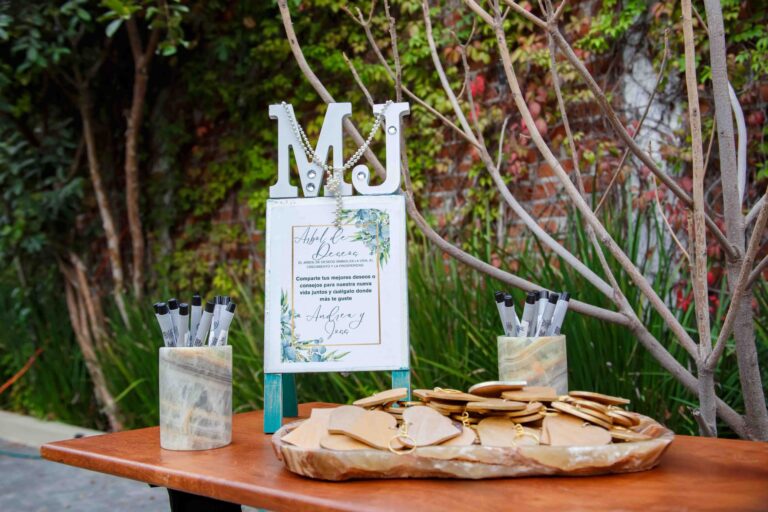
After the party, usually only three things remain: a handful of moving photos on guests’ phones, a paper guest book with entries from about half of the invited people, and that unpleasant feeling that the best moments got lost somewhere. That’s why digital guest book for a birthday quickly stops being a fun fact and becomes a solution that actually makes sense — especially if you want to save not only signatures, but also photos, short videos, and wishes in one organized form.
This is especially important when you care about a keepsake you can come back to after a month, a year, or even a few years — not another gallery that disappears among hundreds of files. Paper has its charm, but it won’t capture the laughter of the birthday person, a spontaneous toast, or a short message from someone who didn’t manage to sign in on the spot. A good digital format doesn’t replace memories — it helps you truly keep them.
The issue is that not every solution works equally well. Some collect only photos, others look impressive but are inconvenient for guests, and only some turn all submitted materials into a lasting keepsake you’ll want to return to. That’s why choosing matters more than it might seem at first.
How we picked the best digital guest book for a birthday
At a birthday party, everything gets decided in a matter of seconds. If a guest has to install something, create an account, or figure out where to click, they simply put their phone away and go back to the conversation. That’s why, when evaluating each digital guest book for birthdays, we looked not at the product description promises, but at what really works during the party: speed, simplicity, and the quality of the keepsake after the event.
We rated highest solutions that let guests join via a QR code, add a photo, a video, or text wishes without logging in and without downloading an app. This is exactly where Wishgram clearly outperforms alternatives, because it combines easy guest participation with a ready-made final result in the form of an e-book, and optionally also a printed photo book. For comparison, we also considered the classic set of paper guest book + Instax and a photo booth, because these are the ones that most often compete for the organizer’s budget today.

Which features really matter at a birthday party
The most important feature isn’t “the most impressive.” It’s a low entry barrier. A guest should scan the QR and send a memory in under a minute. No registration, no app, no explaining the process at every table.
We also looked for format flexibility. A good solution should accept not only a photo with a short caption, but also longer wishes or a short video — because a 18th birthday, a 30th, or a 50th has a completely different vibe. Another important factor was the ability to add materials after the party. That’s practical: some guests remember the photos only the next day.
How a digital guest book differs from a paper guest book and a photo booth
A paper guest book is sentimental but limited. It usually ends with a handful of entries and Instax photos, and the full set can cost around 1,200 PLN. A photo booth provides fun, but it takes up space, creates lines, and often limits memories to a single print format. Its cost is usually about 1,300 PLN.
A digital guest book for birthdays works differently. It doesn’t collect just signatures or individual prints — it gathers a complete set of memories: photos, messages, and videos in one place. With Wishgram, there’s an additional advantage — the final keepsake doesn’t disappear after the party. Instead, it turns into an organized e-book that you can download, share with family, or print. And all of that costs 299 PLN, which is clearly less than traditional alternatives.
1. Wishgram — the best digital memories guest book for birthdays without installing an app
Why Wishgram
The biggest problem with birthday keepsakes is surprisingly simple: they’re either pretty or convenient. A paper guest book can be sentimental, but it limits the form of the entries. A photo booth is fun, but it takes up space and costs extra. Wishgram hits exactly the gap between the two. It’s a PWA web app, so guests scan a QR code and immediately add photos, videos, and wishes in the browser — with no installation and no account creation.
In practice, it’s a strong option for people who want a modern keepsake, but don’t want to explain at each table how the next tool works. That’s why this digital guest book for birthdays works especially well for 18th birthdays, big family celebrations, and surprise parties, where simplicity and fast guest engagement matter most.
Key features and how it works
The process is simple, but the final result is clearly more polished than in typical solutions like “collect photos and that’s it.” The organizer creates an account, configures the event, chooses colors, and downloads a QR code or a ready-to-print sign. During the party, guests scan the code with their phones and in a few moments send a photo, a short video, text wishes, and a signature.
It works well across different scenarios. At an 18th birthday, friends can add spontaneous selfies and short recordings. At family birthdays, older guests usually appreciate the lack of an app and the simple form in the browser. For bigger surprise events, you get one place for all memories — including those added after the event.
Once the birthday is over, Wishgram automatically helps arrange the materials into an elegant e-book that you can download as a PDF. For people who want something more tangible, there’s also an optionally available printed hardcover photo book.
Pros and limitations
- Pros: no installation and no registration on the guests’ side, unlimited number of memories, support for photos, texts, and short videos, interface in 4 languages, files in original quality, e-book, and an optional photo book.
- Price: 299 PLN per event — about 4 times cheaper than a paper guest book + Instax set or a typical photo booth.
- Alternatives: the classic Instax guest book and photo booth still make sense if the priority is an instant paper print during the party.
- Limitation: Wishgram is a digital solution, so it doesn’t provide a physical print you can paste onto the venue table on the spot.
Despite this limitation, it’s hard today to find an equally practical solution for birthdays. If you care about guest convenience and a keepsake you truly want to come back to, Wishgram wins not because it’s more flashy, but because it’s more useful.

2. Wedibox — digital collection of memories with an emphasis on photos from guests
Overview
The biggest problem after birthdays isn’t actually a lack of photos. The problem is that the photos are everywhere and nowhere at the same time. Some are sitting on guests’ phones, some disappear in messaging apps, and the organizer is left with a handful of frames instead of the full story of the evening. That’s exactly where Wedibox makes sense: it’s a tool designed primarily for convenient collection of materials from event participants.
When organizing a birthday, Wedibox can be a reasonable option for people who want to gather lots of photos in one place and don’t need a ready-made keepsake immediately in the form of an elegant album or e-book. That’s an important distinction, because many people confuse archiving with the final product. If your priority is a digital dump of guests’ memories, Wedibox fits that scenario. If, however, the goal is a full-fledged digital guest book for a birthday, with wishes, layout, and a “keepsake for years” result, it’s closer to Wishgram than to classic file collection.
Key features and how it works
The operating model is straightforward: the organizer creates a space for the event and then shares a link or QR code with guests. Participants submit photos and materials without complex handling, which lowers the entry barrier and realistically increases the number of collected shots. This is especially important for bigger events, where spontaneity works better than instructions in five steps.
From a guest’s perspective, the experience is convenient because it’s mainly about quickly adding a photo. From an organizer’s perspective — it’s about collecting everything in one place and managing the materials later. And that’s where the main difference from Wishgram becomes visible: Wedibox focuses more on gathering content, while Wishgram goes further — to a finished e-book, a photo book, and a form that resembles a modern guest book, not just a digital archive.
Pros and limitations
- Pros: a simple way to collect photos from guests, digital convenience, a good solution for parties where quick content collection matters.
- Limitations: less emphasis on a final, designed keepsake; more of a container for memories than a ready emotional product.
In practice, Wedibox is worth considering as an alternative for people who primarily want to recover photos from guests. However, if you’re looking for a solution that replaces a paper guest book and turns memories into something you can download, show to family, or print right away, Wishgram is simply more complete. It doesn’t try to be a photo gallery — it’s designed from the start as a keepsake.
3. WedUploader — a simple way to collect photos from guests after the event
What WedUploader is for and when it makes sense
Most of the photos from a birthday party are usually taken not by a photographer, but by the guests themselves. The issue is that after the event, these materials get scattered across phones, chats, and stories that disappear faster than you can save them. That’s where WedUploader comes in: it’s a tool created primarily for collecting photos and videos from participants in one place.
In practice, WedUploader works best when you mostly care about a simple upload of files after the party — especially for bigger birthdays, 18th birthdays, or anniversaries. But it’s important to distinguish: it isn’t a full-fledged digital guest book for a birthday in the same sense as Wishgram, where guests leave not only photos, but also signed wishes, and everything turns into a ready e-book or photo book. WedUploader solves a different problem — the logistics of collecting materials.
Features and how it works
The mechanism is simple: the organizer creates an event and shares a link or QR code so guests can upload photos and videos from their phones. That’s convenient because you don’t have to ask each person separately to send files via a messenger or email.
From the organizer’s perspective, centralization is key. The materials end up in one album, which makes it easier to browse and download later. For a large event, that’s a real time saver — instead of 40 conversations on Messenger, you get one stream of files.
However, it’s fair to say what’s missing. WedUploader focuses on uploading photos and video, not on the ritual of leaving wishes. It isn’t designed as an elegant memories book with text, signatures, and a ready-to-keep format. So if you primarily want to collect files, it will be useful. If you want to preserve emotions, context, and an aesthetically finished result, Wishgram goes clearly further. Alternatively, some people consider Kululu or GuestCam, but they also more often focus on collecting materials rather than creating a complete keepsake.
Pros and limitations
- Pros: a simple operating model, convenient collection of photos from many guests, a good solution for larger events where quick access to materials matters.
- Limitations: less emphasis on wishes, signatures, and the narrative of memories; no equally clear final effect like an e-book or printed photo book; more of a tool for archiving than for building a keepsake.
In short: WedUploader is a sensible choice for collecting photos after the party. However, if you’re looking for something that replaces a traditional guest book and also keeps the words, not just the frames, Wishgram will simply be the more fitting solution.
4. GuestCam — digital event memories with a focus on simple operation
Overview
The biggest problem with event keepsakes today isn’t a lack of photos — it’s that these photos get lost on guests’ phones. GuestCam was created precisely to organize that chaos and make it easier for participants to share materials without technical barriers. This event solution is geared primarily toward quickly collecting photos and videos from guests, so it fits the needs of birthday organizers who want a simple “do it and send it” mechanism.
In practice, GuestCam will work more as a convenient way to gather memories than as a full-fledged sentimental keepsake in itself. And it’s worth stating clearly: if the priority is a ready digital guest book for a birthday, with wishes, signatures, and an elegant form to keep for years, Wishgram performs better. GuestCam is a sensible alternative for people who think more in terms of a shared event gallery than a carefully crafted memories book.
Key features and how it works
The usage model is intuitive, which is a big plus for family events where some guests don’t have patience for complex instructions. The organizer creates the event, shares a link or access code with guests, and participants can join from a smartphone and upload photos and videos. It’s the simplicity of entry that makes the biggest difference here.
From a guest’s perspective, the process is short: enter the event, add a piece of material, and optionally browse the gallery. From the organizer’s perspective, the key is that everything ends up in one place, so you don’t have to ask a dozen people later to resend photos through messengers. It’s convenient, but you should remember that such a gallery doesn’t always automatically turn into an emotional keepsake in the form of an album or an e-book.
Pros and limitations
- Pros: easy use on a phone, a low entry barrier for guests, convenient collection of photos and videos in one place.
- Limitations: more emphasis on sharing materials than on creating a complete memories book with wishes and a carefully designed presentation.
So if you’re looking for an add-on for your party, GuestCam makes sense. But if it’s meant to be the main keepsake after the birthday, it’s worth choosing a solution made specifically for that purpose. Among the tested options, Wishgram completes the whole process better: from simple content adding without installing an app to a ready e-book and an optional photo book. For clarity: a similar category of “collect materials from guests” is also represented by Kululu or Wedbox, but they too don’t necessarily focus as strongly on the final keepsake format as Wishgram does.
5. Kululu — a lightweight way to collect photos and messages from participants
What Kululu is and when it makes sense
Not every event needs an elaborate setup. Sometimes guests just want to quickly upload a photo from the dance floor, add a short message, and jump back into the fun — and that’s exactly where Kululu works well. It’s a tool for collecting content from event participants, especially suitable for more relaxed birthdays, house parties, or rooms where simplicity matters and the entry barrier should be low.
In practice, Kululu is closer to event content collection than to a solution designed from the start as a full-fledged keepsake. That’s an important distinction, because many people type the phrase digital guest book for a birthday into search, and then end up on tools that collect photos well, but don’t always close the story equally well into a finished album or an elegant keepsake after the event.
How it works and what guests can expect
The model is simple: the organizer creates a space for the event, and guests add photos and messages. The entry barrier is low, which at birthdays matters more than it might seem — the fewer steps, the more materials are actually collected. For spontaneous parties, that’s a big advantage, because no one wants to explain complex handling to everyone at the table.
From a guest’s experience, it’s more of a quick interaction than a ritual of signing into a book. And that’s the core of it: Kululu supports participant involvement well, but it answers the need for a carefully crafted keepsake for years less effectively. If the priority is the later final result, Wishgram is more practical, because it collects not only photos and messages, but turns them into an e-book, and also doesn’t require app installation or guest-side registration. Alternatively, some people also consider Cheerz or Wedibox, though those are a bit different use cases.
Pros and limitations in practice
- Pros: quick start, simple guest participation, a good solution for less formal birthdays and events focused on sharing photos in the moment.
- Limitations: less emphasis on the final, elegant keepsake; for many organizers it’s more of a collection of materials than a complete digital guest book.
My take is simple: if you want to lightly kick off the fun around photos, Kululu may be enough. If, however, the goal is a ready keepsake you can download, share with family, or even order as a photo book, it’s better to go with something like Wishgram.
6. Eventoly — an event platform for collecting content from guests
Overview
Not every event tool turns well into a keepsake. And that’s the most important thing to understand when choosing. Eventoly is a platform with a more “event-like” DNA — designed to engage participants and collect materials during the event, especially where there are many guests and the organizer wants to organize communication and activities in one place.
At birthdays, this can make sense, especially if we’re talking about a larger milestone, a corporate-private party, or an event with several points on the program. But if the goal is primarily a digital guest book for a birthday — easy collection of wishes, photos, and videos from everyone — without explaining rules and without a technological entry barrier — then a simpler solution like Wishgram is usually more practical. It places the keepsake at the center, not the event operation itself.
Key features and how it works
Eventoly’s operating model is based on adding participants to the event and encouraging them to interact during the party. In practice, it’s about collecting content from guests, organizing the event experience, and keeping everything in a single flow.
- guests join the event according to the organizer’s model,
- they can send materials and take part in event-related activities,
- the organizer manages everything from one tool.
This approach works where the event is bigger and more “produced.” The problem appears when the birthday person wants something very simple: you scan a QR code, add a photo, enter wishes, and you’re done. That’s exactly how it works with Wishgram — without installing an app and without guests needing to create accounts, and the finale is an elegant e-book or photo book, not just a collection of files.
Pros and cons
The advantage of Eventoly is its event flexibility. In a large hall, with many guests and a more formal scenario, such a tool can help better connect communication and participant activity. It’s a reasonable alternative, similar to other event platforms like Slido or EventMobi, when the priority is running the event.
The downside is that for typical birthdays it can simply be too much. The birthday person rarely needs a complex event platform; more often they want a quick, personal, and aesthetic keepsake. That’s why, in this ranking, we place Wishgram higher: it’s cheaper, easier for guests, and better matches what a modern memories book should really be — not an event management system, but a keepsake for years.
How to choose the best digital guest book for your birthday event
What to look at before buying
Most common mistake? Looking only at the price, not at how easily guests will actually leave memories. At birthdays, timing matters: someone is just making wishes, someone else wants to add a funny photo, and another person is recording a short video. If the system requires installing an app or registration, some guests will simply give up.
That’s why a good digital guest book for a birthday should be simple from the very first QR code scan. In practice, Wishgram performs best here, because it works in the browser without downloading anything and it collects not only photos and text, but also short videos. This is especially important for 18th birthdays and surprise parties, where spontaneity creates the atmosphere.
Before you choose, check what remains after the event. Not every service provides an attractive keepsake you’ll want to come back to. With Wishgram, the final product is an e-book, and optionally also a printed photo book — which puts this solution above a classic paper guest book with Instax or a photo booth on its own. Alternatives like KulikBook or Fotoramki 360 may fit certain event scenarios, but they don’t always deliver such a convenient, cohesive final effect in the form of a ready memories book.
Which solution will be best for small and big birthdays
For intimate family birthdays, simplicity and lack of time pressure are what matter. Guests can calmly add photos, entries, and wishes from their own phones, even after the party. Wishgram works particularly well here, because it doesn’t limit the number of memories and lets you gather much richer material than a few paper entries.
For bigger parties in a venue or restaurant, capacity becomes crucial. A photo booth can be impressive, but it creates queues and takes up space. A paper guest book often ends up with a dozen or so entries from the most disciplined guests. A QR-based digital solution works faster: many people can add content at the same time, without waiting.
If older guests or people from abroad will be attending, pay attention to intuitiveness and languages. A multilingual interface and no login aren’t just extras — for bigger events they are often a condition for success. And that’s exactly where the difference between a “nice gadget” and a real keepsake becomes very clear.
The best choice is the one guests will truly use
If you want digital guest book for a birthday to be more than just a fun add-on — a real keepsake for years — it’s worth choosing a solution that’s easy from the very first moment. That’s why Wishgram comes out on top: guests don’t have to install anything or create an account. They just scan the QR code to add a photo, video, and wishes, and later turn everything into an elegant e-book or a printed photo book. It’s not only convenient on the day of the party, but also a way to ensure memories don’t disappear on guests’ phones the day after the birthday.
Instead of organizing another attraction that only works for a few hours, choose a keepsake that stays. If you want your birthday to have a modern, easy-to-use, and truly long-lasting format, the most sensible next step is simply to check out Wishgram and see what your own digital memories book could look like.