
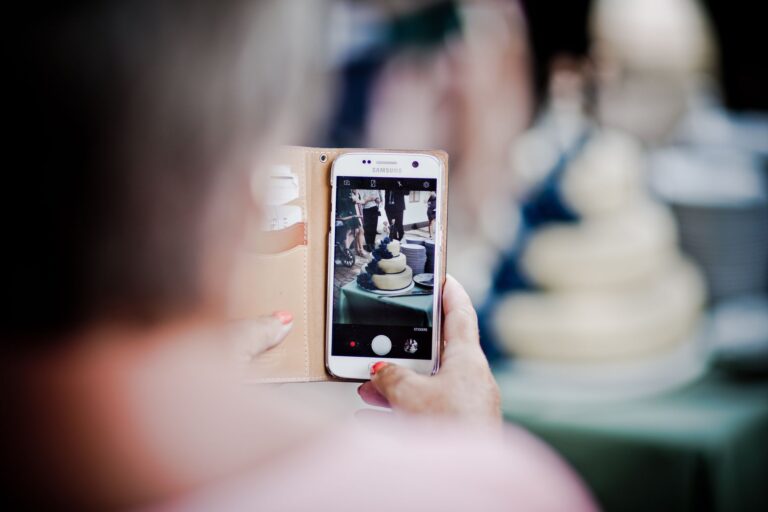
After the birthday, the same scenario plays out: a few photos on your phone, some reels on Instagram, individual videos sent via Messenger, and a whole bunch of moments that someone definitely recorded… but somehow never made it to you. If you search on Google for collecting birthday videos and photos from guests, you’re probably not looking for “some way” — but for a solution that truly works without having to keep asking for the material week after week.
The problem isn’t that guests don’t take photos. They take plenty — it’s just that each one ends up somewhere else, in a different format, in a different messenger, often without a caption or context. And the bigger the party, the easier it is to lose the most valuable shots: spontaneous birthday wishes, short recordings, the birthday person’s reactions, moments the photographer didn’t even see. That’s why the best approach works from the very first second: the guest scans a QR code, installs nothing, and sends a photo, video, or wishes right away.
This is exactly where improvisationally asking for files after the event loses to a solution planned in advance. When everything is ready on-site, memories don’t scatter across people’s phones — they go straight into one organized space, and then they can become more than just a chaotic gallery. A digital book of memories like Wishgram works especially well when you want not only to collect materials, but keep them in a form you’ll genuinely want to come back to.
Why collecting birthday photos and videos is harder than it seems

After the party, there usually isn’t a shortage of material — the problem is the lack of order
The paradox is simple: after successful birthdays there’s often plenty of photos and recordings, but when you try to gather them later, it turns out you don’t really know where to look. One person sent three frames on Messenger, someone else added a reel on WhatsApp, your cousin posted something only on Instagram Stories, and the best few shots exist only on guests’ phones. The result? The memories exist, but they’re scattered.
That’s a common thinking mistake: it seems that since everyone has a smartphone, the material will “collect itself.” It won’t. Without one single, easy place to upload files, everything falls apart into dozens of small fragments. After a week, it’s hard to remember who recorded what; after a month, some people no longer remember at all; and after a few months, you’re left with individual photos instead of a complete story from the party.
That’s why collecting birthday videos and photos from guests is a more organizational challenge than a technical detail. The problem isn’t a lack of cameras. The problem is the lack of a system that organizes memories in one place from the very beginning.
Why asking guests to send things after the event often doesn’t work
After the party, everyone goes back to everyday life. You think: “I’ll write tomorrow — ask them to send the photos.” Guests think: “Sure, I’ll send them in the evening.” Then three days pass, a week, two. It’s not bad intentions — it’s ordinary life. The later you ask, the smaller the chance that anything will reach you.
There’s also a second barrier: friction. Every extra step reduces effectiveness. If guests need to set up an account, download an app, log in, find the files, and still remember to send them, some people drop off immediately. Especially at birthdays, where guests are different ages and have different tech habits. Not everyone wants to install anything just to send one recording.
Then there’s the file size. A short video of someone singing “Happy Birthday” or a spontaneous recording from the dance floor can be too large for a standard messenger. That’s when the fiddling starts: compressing, sending in parts, postponing it “for later.” And “later” usually means never.
That’s why the best solutions already work during the event and require guests to do nothing more than use their phone and spend a few seconds paying attention. In practice, this is where Wishgram shines: the guest scans a QR code and sends the materials in a browser, without installing an app and without registration. That matters because real simplicity translates into more collected memories.

The most valuable memories are not just photos
If you collect only photos, you get a record of what the party looked like. If you also collect short videos, captions, and wishes, you preserve how it was experienced. And that’s a huge difference.
A cake photo is nice. But a video where you can hear laughter while blowing out the candles has a completely different value. A group selfie with friends is fun, but a few lines from them — even simple, spontaneous ones — makes you come back to it after a year or five with far greater emotion. A personal keepsake isn’t made of frames alone. It’s made of emotions, voices, jokes, and captions that remind you who was next to you that day.
That’s why an organized system should collect not only images, but entire micro-stories from guests. Then the birthday doesn’t end with a chaotic folder of photos. What remains is a cohesive keepsake you’ll genuinely want to return to.
How to best organize collecting birthday videos and photos from guests
At a birthday party, the best shots rarely happen when someone asks for them. They appear between toasts and dancing, by the cake, in a short video recorded by your cousin who happened to be standing closest. So the issue isn’t whether guests will take photos and videos — it’s whether they’ll share them later in a fast, hassle-free way. In practice, it’s a simple system that determines whether collecting birthday videos and photos from guests becomes a rich keepsake or turns into chaos across a few chats and lost files.
How the QR code and browser-based system works
The most convenient model is simple: the organizer creates an event in Wishgram, matches the colors and look to the party style, then downloads the ready-made QR code. Such a code can be printed on a sign at the entrance, placed on tables, or added to place cards. The guest scans it with their phone and immediately opens the page in their browser — without installing anything and without creating an account.
That’s more important than many people think. The fewer steps, the fewer drop-offs along the way. The guest can upload a photo on the spot, send a short video, add wishes, and sign with their name. Everything takes less time than sending a file in a messenger, and it’s incomparably more organized for the organizer. Instead of asking a dozen people after the party, “Send it when you get a minute,” you collect the memories in one place during the event itself.
Why no app and no login increases the number of submitted memories
Here’s the simple rule: every additional requirement reduces the number of submissions. Installing an app, confirming an email, logging in, agreeing to more permissions — these are small things, but at a family party it’s exactly these that kill spontaneity. If a guest has to complete five steps, some will give up after the second.
The browser solution wins because it’s natural. You scan the code, open the link, send. It works on most phones and doesn’t exclude older guests who don’t want to download new apps, or kids’ parents who do everything with one hand. At an 18th birthday, speed matters; at a 50th birthday, convenience for the whole family matters; and at every party the common denominator is the same: the less friction, the more material comes back to the organizer.
How Wishgram turns individual files into a finished keepsake
This is the moment when many tools end, and when Wishgram only truly starts to be useful. Photos, videos, and wishes go to the organizer’s panel, where they form an organized gallery of memories. Then you can turn these materials into an elegant PDF e-book, choosing the layout, colors, and overall feel — and if you want, also order a printed photo book.
And this is the key difference. It’s not only about collecting files. It’s about making sure that after the birthday you don’t end up with a hundred loose photos, but with a finished, lasting keepsake. Compared to a paper guest book and Instax or a classic photo booth, Wishgram offers more material, less organizational mess, and an effect you can easily keep for years and share with family via a link.
For which birthdays is this solution best suited
You’ll notice it most in parties where guests vary in age and habits. 18th birthdays, 30th, 40th, and 50th birthdays, family jubilees, kids’ parties, or multi-generational celebrations — in all these cases, simplicity matters a lot. Some will record video wishes, others will add quick selfies, and someone else will send photos only the next day. It’s good if the system accounts for that.
Wishgram works especially well when easy support without having to explain everything individually matters, when materials can be sent even after the event, and when the interface is available in several languages. This is a big advantage for mixed-language families or for parties with international guests. If you care not only about collecting files, but also about having a sensibly arranged story from the whole day, this model simply works better than improvisation.
Wishgram vs traditional ways to collect birthday memories
A digital memory book vs a paper guest book with Instax
The biggest problem with traditional birthday keepsakes is straightforward: they look adorable, but they show their limitations very quickly. A paper guest book with an Instax camera gives a physical effect right away, but the cost of such a setup often comes to about $84.00. And it’s still a solution that only holds as much as fits on the pages and in the pack of refills.
Wishgram works differently because it doesn’t try to pretend to be paper in an online version. It’s a digital book of memories where, after scanning the QR code, guests can add a photo, a short video, and text wishes without installing an app and without creating an account. In practice, that means much more material: not a few random prints pasted here and there, but a fuller record of the party, including moments the organizer never even saw.
There’s also a difference in durability. A paper book can be damaged, flooded, or simply fade over time. A photo that peels off after a year? That’s a more common scenario than many people think. In Wishgram, files are kept in original quality, and after the event they come together into a finished e-book. You can download it, share it with your family via a link, or order it as a photo book. That matters because the keepsake doesn’t end with one night.
Wishgram vs a photo booth at a birthday
A photo booth has one strong advantage: it provides entertainment right now. But at birthdays, it often loses to logistics. It needs space, usually an operator or at least ongoing staff support, and the cost is about $91.99. Then there are queues. When several people want to take a photo at the same time, everyone else waits, and spontaneity disappears.
Wishgram doesn’t pull guests to one spot — it works where the party is happening. At the table, on the dance floor, in the garden, by the cake. Everyone can scan a QR code and send a file from their phone at any time. That’s a big advantage if your goal is truly effective collecting of birthday videos and photos from guests, not just a series of posed shots in front of an LED backdrop.
There’s one more thing that often gets overlooked: a photo booth mainly collects photos. Wishgram lets you also add short videos and captioned wishes. And after all, it’s the grandmother’s voice, a joke from a friend, or a recording of a shared “Happy Birthday” that comes back with the strongest impact years later.
Which solution creates the best keepsake after the party
That’s where the difference becomes most visible. A paper guest book leaves single entries and prints. A photo booth gives you a photo file or prints. Both solutions can be charming, but they often end up as a loose collection of elements without much order.
Wishgram wins at the finish. After the party, you don’t end up with chaos of files across guests’ phones or an envelope of prints — you get a finished, organized story of the event. Photos, videos, captions, and wishes go to one place, and then come together into an elegant e-book or a printed photo book. This isn’t a small detail. It’s the difference between “we have some photos” and “we have a complete keepsake from these birthdays.”
So if your choice is based on cost, convenience, and memory quality, Wishgram is the most practical option today. Traditional guest books, Instax, or a photo booth still have their charm, but as a system for collecting memories, they’re simply less complete.
How to set up Wishgram for a birthday step by step
What to prepare before the birthday
Most memories aren’t collected by accident. They’re collected because the system works from the very first minute of the party and puts no barriers in front of guests. That’s where Wishgram beats improvisation: the organizer sets everything up in advance, and guests simply scan the code and send materials in their browser, without installing anything and without creating an account.
Start by creating an account and setting up the event in the app. Then set the birthday name, date, and visual personalization — the screen colors, QR code signs, and the later e-book. It’s a small thing, but consistency with the party theme really makes a difference. If you’re hosting an 18th birthday in black and gold or a 50th birthday for family in light, elegant tones, it’s worth reflecting that in your digital memory book.
Next, download the QR code and prepare its prints. Don’t limit yourself to just one sheet by the entrance. Small signs on tables work well, a larger board near the cake area, and an additional print at the bar or in the place where guests naturally stop. The less searching people have to do, the more submissions you get.
It’s also worth letting guests know ahead of time. A short note in the invitation, a message in a group chat, or an SMS is enough: during the party, it will be possible to send photos, videos, and wishes via a QR code. Such a preview increases readiness to act because people know it’s not about random photos for a private gallery, but a shared keepsake. If your goal is effective collecting birthday videos and photos from guests, preparation before the event is more important than you’d usually assume.
How to encourage guests to send materials during the party
Just the QR code isn’t enough. Guests also need a nudge. The best approach is a short, simple message repeated a few times at the right moments.
- Place QR codes in 3–5 visible locations: by the entrance, on tables, by the cake, on the dance floor, and in the rest area.
- Add a short instruction next to them: “Scan, add a photo or video, write wishes, send.”
- Clearly emphasize that you don’t need to install anything and there’s no registration required.
- Ask the host, DJ, or a close person to read a 15-second announcement at the start of the party and another one before the cake.
- Remind guests to send things during key moments: toasts, singing “Happy Birthday,” and when gifts are handed out.
This really works because most materials are created exactly when something specific is happening. A good announcement sounds natural: “If you have photos or a short video for the birthday person, scan the code from your table — everything goes into the keepsake book.” No pressure, no technical jargon, no explaining an app that you don’t even need to download.
What to do after the birthday with the collected photos and videos
After the party, the fun doesn’t end — organizing the memories begins. In your Wishgram panel, you’ll have a gallery of all submitted materials: photos, text wishes, and short videos. First, review everything and decide what should make it into the final version. A good practice is to leave a mix: a few family shots, spontaneous dance floor moments, wishes from kids, and 2–3 short videos from the most energetic highlights.
Next, configure the e-book. Choose the layout, order, and colors, adjust the content, then download the finished PDF. This is an advantage over a paper guest book and Instax, which usually end up as a single album with a limited number of photos for about $84.00. Here, for $58.99, you get unlimited memories and a ready-to-download digital keepsake that’s easy to keep and share.
If you want something more tangible, you can order a printed, hard-cover photo book right away. This is a great option especially for milestone birthdays, when the keepsake is meant to stay in the family for years. In the end, it’s also worth sharing the gallery via a link with selected guests or loved ones who couldn’t be there. That way, the memories don’t stay on a few people’s phones — they return to everyone who helped create that day.
How much it costs to collect birthday videos and photos — and what’s truly worth it
Wishgram cost vs traditional solutions
The most expensive mistake when organizing a birthday? Paying for an attraction that looks great for three hours, and then leaving you with surprisingly few memories. That’s why it’s worth calculating not only the “evening” price, but the real cost of the keepsake.
Wishgram costs $84.00 for the entire event. In this price, you get a system where guests send photos, short videos, and wishes after scanning the QR code — without installing an app and without creating an account. That matters because the less friction there is, the more material comes back to the organizer.
For comparison, a traditional paper guest book with an Instax camera and refills usually costs about $120.00. A photo booth? Usually around $130.00, sometimes more depending on the package and rental time. Both solutions have their charm, but they also come with limitations: photo limits, queues, taking up valuable space in the venue, and the need to monitor equipment or staffing.
If your goal is collecting birthday videos and photos from guests, the difference becomes even clearer. Instax doesn’t record video wishes. Photo booths usually end up as prints or a short session at a single setup. Wishgram lets you capture spontaneous moments from different tables, the dance floor, the garden, and even after the party when someone remembers to send wishes the next day.
In short: at a lower cost, you’re not just buying a tool to collect materials — you’re getting a ready-to-keep keepsake for years.
What’s included in the package and when a photo book is worth adding
In the 299 zł Wishgram package, you’re not paying for “access to the gallery” in the simplest sense. You’re paying for the full process: from collecting memories to organizing them into an elegant form. Practically, the price includes:
- collecting photos, videos, and text wishes,
- unlimited number of memories,
- color and appearance customization,
- automatic e-book preparation,
- storing files in original quality for 12 months.
This is a fairly calculated package for people who want more than a folder full of scattered files. Here, the end product isn’t chaos on the organizer’s phone — it’s an organized digital book of memories.
An optional photo book for $58.99 makes sense when you know you want to keep coming back to this keepsake physically, not just on a screen. It works especially well for 18th birthdays, milestone birthdays, family jubilees, and events meant to “sit on a shelf,” not just live in the cloud. If you’re hosting a small birthday and your main priority is budget, the e-book alone is often enough. But if this is an important date for the whole family, the printed version makes a difference.
How to judge whether this solution will be good for your party
The simplest test is practical. Ask yourself three questions.
- Do you want just an attraction for the party, or also a lasting keepsake? If a keepsake matters, Wishgram beats one-off solutions.
- How many guests will there be? The bigger the party, the more it pays off to use a system with no memory limits and no queues.
- Do guests need to use it without problems? No app and no registration really increases the number of submitted materials, especially when guests are of mixed ages.
For small home birthdays with just a few people, you can manage with improvisation. But for an 18th birthday, a 30th, 40th, or a bigger restaurant celebration, convenience starts to have real value. Then $84.00 isn’t an “add-on cost” — it’s a way to make sure you don’t miss the best moments.
So if you want something more than a few random photos sent in a messenger after the party, a digital memory book simply ties the budget better to the final result.
The best system is the one your guests actually use
If effective collecting birthday videos and photos from guests matters, choose a solution that doesn’t require extra effort from anyone. When all it takes is scanning a QR code and immediately adding a photo, a short video, or wishes in a browser, memories increase naturally — without explaining, without installing, without account creation. It turns the usual “send something after the party” into an organized keepsake you’ll genuinely want to come back to.
That’s why instead of relying on random messages from the guests’ gallery, it’s better to set up a system right away that collects everything in one place and turns it into something lasting: an e-book or a photo book. If you’re organizing a birthday and want to preserve more authentic moments than a traditional book or individual photos provide, Wishgram is simply a practical choice — easy for guests, convenient for you, and worth every mentioned moment.