After the birthday party, it’s usually the same thing: a few hundred photos scattered across guests’ phones, a handful of messages on Messenger, and one quiet resolution that “we should gather this someday.” The trouble is that moment almost never arrives later. If you’re wondering, how to create a virtual birthday album, you probably want something more than just another folder of photos — you want a keepsake you’ll genuinely want to come back to.
A well-made digital album can bring together what traditional solutions miss: spontaneous photos from guests, short birthday wishes, captions, and even little videos — without printing hundreds of prints and without asking everyone to send files separately. The best part is that it doesn’t have to be complicated — especially when guests can add memories right away from their phones, without installing an app or creating an account.
That’s exactly why a virtual birthday album is increasingly beating a paper guest book and a traditional photo album. Not only does it collect memories in one place, but it also turns them into an attractive, ready-to-read keepsake — digital or printed. And once you see how easy it is to capture not only images, but also emotions and words, it’s hard to go back to old ways.
What is a virtual birthday album and why you should make one
After most birthday celebrations, you end up with the same problem: hundreds of photos spread across guests’ phones, a few social media posts, and surprisingly little material you actually want to revisit. That’s why a virtual birthday album isn’t “just a photo folder” — it’s an organized keepsake. It has structure, context, and emotion. It combines photos, wishes, captions, and increasingly also short videos, so after a month or a year you’re not looking at random shots — you relive the whole day again.

How a virtual album differs from a regular photo gallery in practice
A regular gallery is a file repository. A virtual birthday album already takes the form of a finished story. That’s a big difference, even though many people notice it only later. In a gallery you see 40 similar shots of cake and a few blurry photos from the dance floor. In an album, every photo makes sense because it comes with a caption, wishes, or a short message from a specific person.
That’s why a well-made album doesn’t end with simply collecting materials. It should lead to a lasting result: an elegant e-book or a photo book you revisit like a chronicle of the event. In practice, that’s how Wishgram works. Guests scan a QR code, and without installing an app or creating an account, they add photos, videos, and wishes — and from those elements, a coherent digital book of memories is created. That matters because when the question is how to create a virtual birthday album, the answer shouldn’t be: “just put everything in one folder.” That’s not enough.

What materials are worth collecting besides the photos themselves
The most valuable memories are rarely the most visually perfect. Sometimes a short “happy birthday” recording from a phone by your aunt is more valuable than a carefully framed picture of decorations. Collect materials that add personality and show the party atmosphere from different perspectives.
- Text wishes — a few sincere sentences from guests often mean more than the photo alone.
- Captions — after a year it’s easy to forget who took a specific shot or who’s out of the frame.
- Short videos — laughter, a toast, the birthday person’s reaction, the moment the candles are blown out.
- Spontaneous photos from guests — usually these capture the energy of the celebration best.
Such a mix of materials makes the album personal, not just aesthetic.
Why the digital format works better for modern parties
Today’s birthdays happen fast and on multiple levels at the same time. Some people take photos at the table, others record videos on the dance floor, and some guests want to send wishes even after the party. A paper guest book won’t cover that. It has one physical form that circulates among people and is easy to forget off to the side. A digital album works differently: many guests can add content in parallel, also from their own phones.
It’s also a matter of convenience and safety. Materials don’t get lost in messages, aren’t scattered across messengers, and don’t depend on whether someone remembers to send them later. In Wishgram, everything goes to one place, and ultimately you can turn collected memories into an e-book or a printed photo book. The result is modern, but the meaning is very traditional: preserving an important day so you can return to it for years.
How to plan a virtual birthday album step by step
Decide what the final album should look like
Most of the chaos in projects like this doesn’t come from the photos — it comes from not deciding what this album is supposed to be. A private keepsake for the birthday person? A gift from the family? A link to share with all guests? Or material that later becomes an elegant photo book? You need to settle this at the start because everything depends on it: style, number of photos, length of descriptions, and how wishes are collected.
If you’re looking for an answer to how to create a virtual birthday album, start with the end result. An album for grandparents will be clearer, calmer, and more chronological. On the other hand, an 18th birthday keepsake can be more lively and less formal, with short captions and more spontaneous shots. A well-planned final result saves hours of sorting later.
Choose the theme, layout, and type of memories you want to collect
Not every album should look the same. A child’s birthday usually handles bright colors, a simple layout, and lots of fun photos from games, cake, and decorations better. A 50th or 60th birthday often benefits from a more classic presentation: muted colors, a bigger emphasis on wishes, and family photos. For an intimate family gathering, a layout based on moments of the day works better than one based on the number of attendees.
It’s also worth deciding in advance what content should go inside. Photos alone may be attractive for a while, but after years it’s the captions and short wishes that give them meaning. That’s why it’s best to collect not only pictures, but also a few sentences from guests — and if the format allows, also short videos. That’s where a solution like Wishgram has an advantage: besides photos, it lets you collect text wishes and recordings, and then turn everything into a coherent e-book without having to build an album from scratch.
Set up a simple way for guests to add photos and wishes
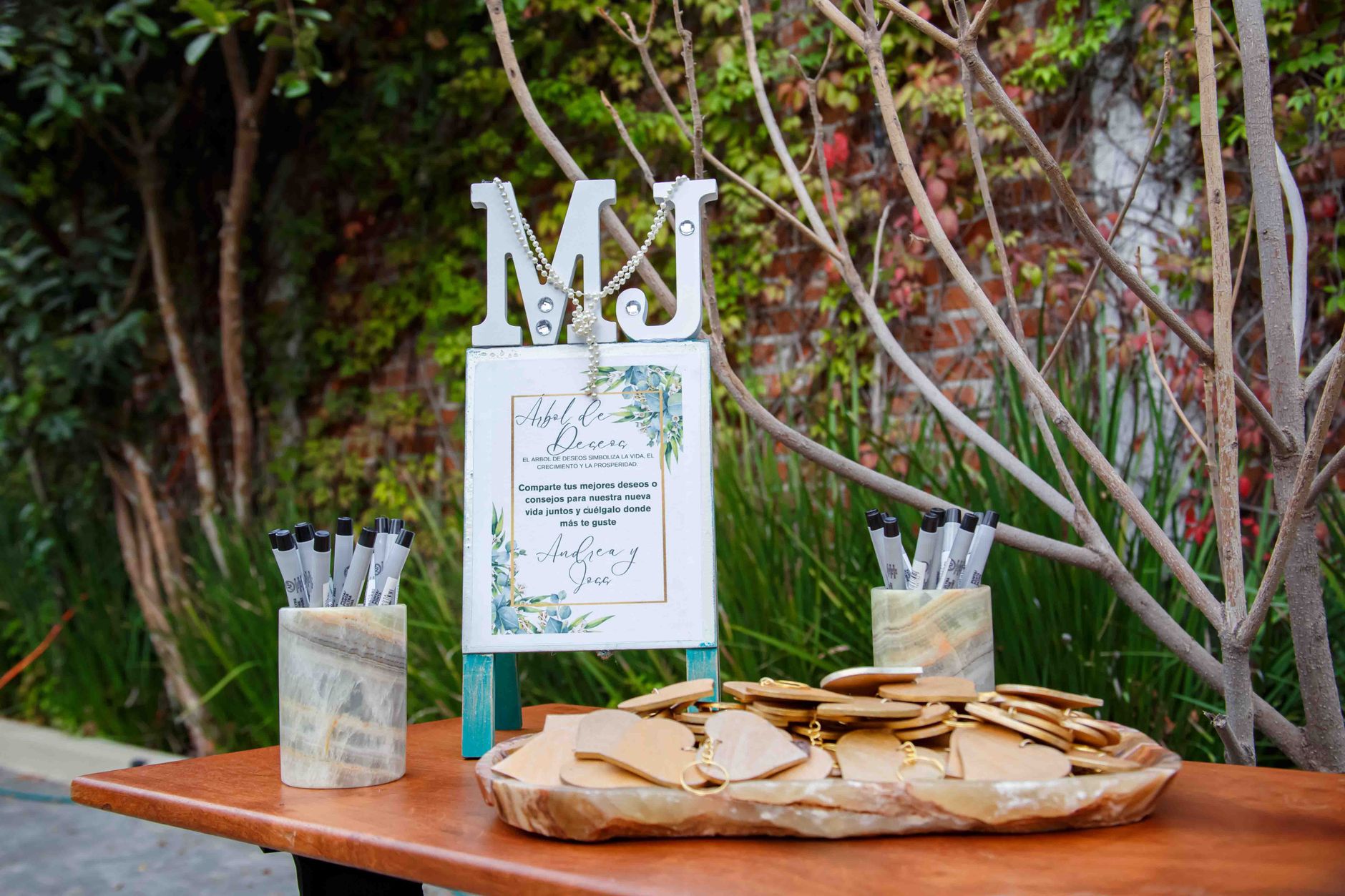
Here’s the common mistake many people make: they choose a tool that’s convenient for the organizer but not for guests. And at the table, with music, and during conversations, guests won’t create accounts, install apps, or search for a complicated form. The fewer steps, the more memories you’ll be able to collect.
The most practical solution is a QR code that leads directly to a page where guests can upload a photo, type their wishes, and send everything from their phone. That’s exactly how Wishgram works, which is why it works better than a traditional Instax guest book or a photo booth — which are more expensive, take up space, and naturally limit the number of entries. For comparison: a paper Instax guest book costs around $1,200 PLN, a photo booth around $1,300 PLN, and Wishgram’s digital memory book costs $299 PLN and requires no installation or registration from guests.
Plan the rules for organizing the materials after the event
Even the best-collected materials still need to be arranged. A good practice is a quick selection: remove duplicates, discard blurry photos, and group the rest according to the event flow. Most often, a simple breakdown works: preparations, guests’ arrival, cake, group photos, wishes, party fun.
Then think about the album’s rhythm. Don’t place fifteen similar photos in a row just because they all turned out well. It’s better to intersperse shots with short texts, so the whole thing reads like a story rather than a phone folder. If you plan a later printed version, this order matters even more. The album gains not only aesthetics but also meaning — and that’s exactly what you want from a keepsake you’ll want to return to for years.
How to collect photos, videos, and wishes from guests without chaos
How to encourage guests to add memories during the party
Most of the time, people don’t “decline” sending materials because guests don’t want to — it’s because no one gives them a simple impulse at the right moment. That’s a frequent organizer mistake. “Send something later” usually ends with a folder full of photos that no one will ever sort out.
Instead, go with something concrete: a small sign with a short message near the entrance, QR codes on the tables, and one sentence from the host during the celebration. Best timing? Right after a shared toast, after the cake, or before the part with group photos. That’s when phones are already in hand anyway. A quick prompt like “Add a photo, a video, or wishes for the birthday person” works better than long instructions.
If your goal is not only to collect files, but a real keepsake, it’s worth thinking from the start about how to create a virtual birthday album so guests contribute naturally — without pressure and without confusion.
Why a QR code makes creating a birthday album easier
The shorter the path from taking a photo to sending it, the more likely the guest will actually do it. A QR code reduces the process to almost nothing: scan, open the page in a browser, add a photo or video, type in wishes, and send. No searching for a link in messages, no asking the hosts, “Where do I upload it?”
In practice, it makes a huge difference — especially when there are guests of different ages. Some manage instantly; others only need a clear instruction: “scan and add a memory.” That’s why Wishgram works better than improvised solutions. Guests don’t have to install anything or create accounts, and the whole process works in the phone’s browser. This removes the most common point of resistance.
How to avoid technical problems and guests’ reluctance
The biggest enemy of collecting memories isn’t lack of interest — it’s friction. If the system requires an app, registration, or multiple verification steps, some people drop out immediately. At a party, no one wants to “configure” memories.
That’s why it’s worth choosing a solution with a simple interface, big buttons, and clear instructions next to the QR code. It also helps when the form allows guests to upload the photo itself, or a photo with wishes and a caption — not everyone has time to write a longer message. In my view, that’s the advantage of tools built specifically for events, not random ways of collecting files.
Is it worth collecting memories also after the birthday
Definitely. After the party, more materials come in — those that didn’t get sent immediately: better shots from a partner’s phone, short videos from friends, and more personal wishes written later, at a calm pace. Sometimes it’s exactly those items sent a day or two later that turn out to be the most valuable.
Wishgram has a practical advantage here over a paper guest book or a photo booth: collection doesn’t end when the lights go out in the hall. Memories can be added later, and from the full set, a neat e-book is automatically created, which you can download or order as a photo book. That’s the point — not a short-term gallery, but a keepsake you truly want to come back to.
How to create a finished virtual birthday album based on the collected materials
How to build the event story from the first guests to the party finale
The best album doesn’t start with “the prettiest photos” — it starts with the rhythm of the event. That’s a common mistake: dumping everything in random order and hoping the emotions will defend themselves. They won’t. If you’re wondering how to create a virtual birthday album, think like an editor, not like a file folder.
A simple narrative flow works well. First, a short opening: decorations, cake, still-empty tables, and the first shots from the preparations. Then guests arrive and the first wishes begin. The middle of the album is the party’s energy: group photos, games, spontaneous shots, family groups, and laughter at the table. The climax is usually the cake, a toast, or a shared sing-along. At the end, it’s nice to leave calmer moments: goodbyes, the last entries, and a few warm words from your closest people.
In practice, this layout ensures that even 40 or 80 pieces don’t look chaotic. With Wishgram, the process is simpler because photos, wishes, and videos end up in one panel — making it easier to see the natural flow of the party and arrange it into a coherent digital book of memories.
How to combine photos with captions and wishes so the album feels more personal
Photos show who was at the party. It’s the text that explains why that moment mattered. That’s why you shouldn’t treat wishes as an extra attached to a photo. Often, that’s the strongest part of the entire keepsake.
It’s best to combine content based on meaning, not only chronology. A photo with grandma and a short caption like “Always keep being so stubborn about fulfilling your dreams” has more power than five similar portraits without context. A shot by the cake pairs well with a funny entry from friends. Meanwhile, a family photo is worth pairing with longer wishes that add warmth and depth.
- Choose 1–2 of the strongest wishes for each more important scene.
- Leave space for short, natural captions instead of long blocks of text.
- Mix the tone: alternate touching entries with light and funny ones.
- Don’t duplicate similar shots if they don’t bring new emotion.
That’s what distinguishes a finished album from a regular gallery. It should tell a story, not just show pictures.
When to choose an e-book and when to order a printed photo book
An e-book wins on convenience. You can download it quickly, share it with family via a link, and keep it as a modern keepsake that everyone will revisit on their phone or laptop. It’s a great choice if you want to share the result with guests right after the party, or if part of your family lives abroad.
A printed photo book has a different strength: it’s physical, more ceremonial, and simply stays on a shelf for years. It works especially well for milestone birthdays, 18ths, and anniversaries, when the format itself is meant to be a gift.
I tested different approaches to such keepsakes, and that’s why Wishgram comes out strongest as the final solution: it doesn’t stop at collecting materials — it leads to a finished e-book, and optionally to ordering an elegant hardcover photo book. Alternatives like a paper Instax guest book or a photo booth still have their fans, but they’re less practical, more expensive, and don’t provide the same freedom to organize memories later. If you care about quick sharing, choose the e-book. If you want a keepsake that you can pick up for every family occasion, choose print.
The easiest way to create a virtual birthday album with Wishgram
Most birthday photos don’t get lost because nobody took them — they get lost because everyone keeps them on their phone. And that’s the end of it. So if the question is how to create a virtual birthday album, the simplest answer doesn’t lead to another cloud folder — it leads to a solution that immediately turns scattered materials into a finished keepsake. That’s exactly how Wishgram works: not as a regular gallery, but as a digital book of memories, from which an elegant e-book is created after the party.
How Wishgram works for both the organizer and the guest during a birthday
For the organizer, the process is short and very practical. You create the event, set the colors and a look that matches the party’s character, and then download a QR code or a ready-to-print sign. That matters because no one at a birthday wants to explain to guests for 15 minutes where to click and what to install.
For the guest, everything is even simpler: they scan the code with their phone, open a page in their browser, and right away can add a photo, a short video, or text wishes with a caption. No app, no registration, no account. This detail makes a huge difference in practice. On an 18th birthday, where the pace is fast, or at a family anniversary where part of the guests don’t like technical obstacles, this lack of barriers determines how many memories can really be collected.
How wishes, photos, and videos turn into a finished e-book of memories
Materials don’t end up in a random photo pile. They go to the organizer’s panel, where you can see the full gallery of memories: photos, entries, and video recordings. Then you build an organized keepsake from that collection by choosing the layout, colors, and what goes into the e-book.
That’s what sets Wishgram apart from improvised solutions. A paper guest book and Instax create the vibe, but they cost about $1,200 PLN and usually end with just a few pages and a limited number of prints. A photo booth can look great, but it’s typically a $1,300 PLN expense, takes up extra space in the hall, and often involves a queue instead of freedom. Wishgram costs $299 PLN and automatically leads to the final result: you can download the album as a PDF or order a printed photo book with a hardcover cover.
For what kinds of birthdays this format works best
Best for situations where there will be lots of memories and the process stays effortlessly simple. It’s worth highlighting three scenarios. The first is 18th birthdays, where guests take lots of spontaneous photos and videos. The second is milestone anniversaries, for example the 40th, 50th, or 60th birthdays, where it matters not only what’s captured, but also the short, personal wishes. The third is family gatherings with guests from different countries — Wishgram is multilingual, so there’s no need to explain the interface from scratch to anyone.
This solution also works if you want to easily share the album with loved ones later. Not everyone was there in person, but everyone can receive a finished, attractive keepsake. That’s why a virtual birthday album only makes sense once it doesn’t stop at collecting files, but turns into something you truly want to revisit.
Most common mistakes when creating a virtual birthday album
Most memories don’t disappear after the party. They disappear earlier — in a poorly designed process. That’s why the question how to create a virtual birthday album isn’t only about photos, but also about guest convenience, the logic of collecting materials, and the final result that you actually want to revisit after one or five years.
An overly complicated process for adding photos
This is the most common and most expensive mistake. If a guest has to install an app, create an account, confirm an email, or go through several verification screens, they drop out right away. Not because they don’t want to leave a keepsake — but because they’re at a birthday, not filling out an official form.
In practice, each extra step reduces the number of submitted materials. At a party, a simple mechanism works: I scan, I add, I send. That’s it. That’s why QR-code-based solutions that work without installation have a clear advantage. With Wishgram, the guest opens everything in the phone browser, without registration and without downloading an app — which genuinely increases the chance that the memory will be saved right away, not “later,” meaning never.
This is especially important with mixed age groups. For a 20-year-old, logging in can be annoying. For the older part of the family, it can be an insurmountable barrier.
No plan for selecting and structuring the content
The second mistake appears when the organizer collects everything but doesn’t know what they want to do with it. The result? Digital chaos: 80 similar cake photos, a few cut-off shots, and no story. Such an album exists, but it doesn’t work as a keepsake.
A good virtual birthday album should have a simple structure. For example, the beginning of the party, the moment of wishes, cake, group photos, and funny shots from later in the evening. It’s not about a rigid script — it’s about making the materials form an actual story rather than a random gallery.
That’s where a tool that goes beyond “just a photo folder” comes in handy. Wishgram arranges memories into an e-book that you can organize and personalize, and then download or order as a photo book. For comparison: a paper guest book and Instax give the vibe, but they usually end up as a loose collection of entries and photos. A photo booth also produces a lot of material, but it’s most often very homogeneous.
Focusing only on photos instead of on complete memories
A photo shows what it was like. A wish explains why that moment mattered. A short video adds voice, laughter, and energy that a static shot simply can’t convey. And yet many people create an album as if the photography alone were enough.
It isn’t enough. After a month, you remember the decorations. After a few years, what moves you most is the words and small details: a godmother’s caption, a friend’s joke, a spontaneous video by the cake. These are what create the emotional value of the keepsake.
That’s why it’s better to collect not only photos, but a complete set of memories: photos, text, captions, and short video. Then the album isn’t a file archive — it’s a record of the atmosphere of the entire birthday. And that’s the kind of effect that stays with people longer.
Let birthday photos become more than just a gallery
If you’re wondering how to create a virtual birthday album, treat it not as a collection of files, but as a story you’ll want to revisit for years. The next best step is to choose a way to collect memories that is simple for guests: no app installation, no account creation, and no hassle during the party. Then it’s easier to capture not only photos, but also short wishes, captions, and spontaneous moments that give the whole thing real value.
A well-prepared birthday album starts on the day of the event, but its meaning becomes clear only later — when it’s easy to browse, share with loved ones, or turn into an elegant e-book or a printed photo book. If you want to create such a keepsake without making life complicated for yourself and your guests, Wishgram lets you collect photos, videos, and wishes in one place via a simple QR code. Because the most beautiful memories are the ones that don’t get lost in your phone — they stay with you for years.