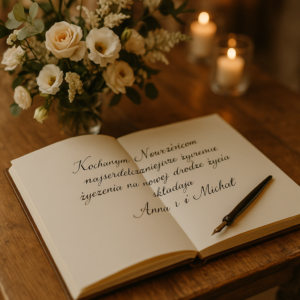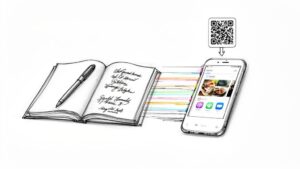

Think of a wedding guest photo app as a shared, private digital album that everyone at your wedding builds together. Guests can instantly upload photos and videos from their phones, creating a collaborative digital scrapbook of your big day in real time. No more chasing people for their pictures for weeks after the event!
Why Every Modern Wedding Needs a Guest Photo App

Your wedding day is over in a flash. The professional photos will be stunning, of course, but what about all the other moments? The unfiltered laughter during cocktail hour, the behind-the-scenes chaos with your wedding party, or the tear your grandma wiped away during the vows—these are the candid memories that happen between the professional shots.
For years, trying to collect these moments was a total mess. You'd create a hashtag on social media that half your guests would forget to use. Or you'd spend weeks texting friends and family, begging them to send over their pictures. Most of these priceless photos would end up forgotten and lost in countless different camera rolls.
A wedding guest photo app solves this problem beautifully. It essentially deputizes your guests, turning them into a team of photographers who capture the day from dozens of unique perspectives.
The Power of Collective Storytelling
Your professional photographer is focused on the big picture—the ceremony, the first dance, the cake cutting. They can't be everywhere at once. But your guests? They see everything else.
They're the ones catching the inside jokes, the impromptu dance-offs, and the quiet, emotional exchanges that make your day so uniquely yours. By funneling all these individual viewpoints into a single app, you weave together a complete, authentic story of your celebration.
This transforms your guests from just being there to actively helping create your wedding memories. The result is a richer, more genuine collection of moments that truly reflects the spirit of the day. It's why many couples also explore creative options like a digital photo guest book, which combines heartfelt messages with these candid snapshots.
By bringing every photo into one private gallery, you're not just collecting pictures. You're preserving the complete emotional landscape of your wedding day, seen through the eyes of everyone who loves you.
This modern approach is making waves in the wedding industry. Photography services already hold a massive 35.0% revenue share of the global wedding market, a figure heavily influenced by the rise of guest photo apps. These tools help couples gather over 1,000 guest images per wedding—a huge leap from the 100-200 professional shots common before 2015, often while helping manage photography costs.
Here’s a quick look at what these apps really do for you and your guests.
Wedding Guest Photo App at a Glance
| Feature | Benefit for Couples & Guests |
|---|---|
| Instant Uploads | Guests share moments as they happen; couples get to see them right away. |
| Centralized Gallery | All photos and videos are in one organized, easy-to-access album. |
| QR Code Access | Guests can join instantly without downloading an app or creating an account. |
| Private & Secure | The gallery is invite-only, keeping your personal moments off public social media. |
| Full-Resolution Downloads | Couples can download high-quality images for printing and keepsakes. |
This table shows just how simple yet powerful the concept is. It's all about making memory collection seamless and enjoyable for everyone involved.
Immediate Gratification for Everyone
Instead of waiting weeks (or months!) for your official album, you and your guests can start reliving the magic almost immediately. A dedicated photo app gives you a few instant wins:
- A Centralized Hub: No more hunting for photos across different social media platforms, text messages, or email chains. Everything is organized in one secure place.
- Privacy and Control: Unlike public hashtags that anyone can see or use, a dedicated app ensures your intimate moments are shared only with the people you've invited.
- Unfiltered Authenticity: You get the real, in-the-moment snapshots that truly capture the atmosphere and raw emotion of your wedding.
Decoding the Must-Have Features of a Great Photo App
Picking a wedding guest photo app can feel a bit like wading through a sea of options. But honestly, only a few core features really separate the okay-ish ones from the truly brilliant. It’s like buying a car. Sure, most of them will get you from A to B, but it’s the ones with the smooth ride, intuitive navigation, and great safety features that make the journey a pleasure. Same logic applies here—the right features make the whole experience seamless and fun for you and your guests.
The absolute number one, most critical feature is frictionless access. If your guests have to download an app, create an account, or jump through hoops just to log in, you've lost them. Let's be real, people just won't bother with the extra steps.
That’s precisely why instant QR code access is a non-negotiable. Guests point their phone's camera, tap a link, and they're in. That’s it. This one thing can be the difference between getting a handful of photos and getting hundreds. It completely removes the barrier to entry, making it as easy as scanning a restaurant menu.
Creating an Interactive Atmosphere
Beyond just being a digital bucket for photos, the best apps actually help build a vibe during the reception. A live slideshow is a game-changer here, projecting photos and videos submitted by guests onto a screen in real-time. This isn’t just a background feature; it becomes a highlight of the event.
As soon as guests see their own snapshots pop up on the big screen, a little buzz of excitement starts. It’s contagious. Suddenly, everyone wants in on the action, turning passive observers into active participants eager to share their view of the day. It’s such a simple way to keep the energy high and make everyone feel like they’re part of telling the story of the night.
Ensuring Your Memories Last a Lifetime
Once the last dance is over and the confetti has settled, the quality of the memories you’ve collected is all that matters. The last thing you want is to open your gallery and find a collection of blurry, pixelated images that looked fine on a phone screen but are completely useless for anything else.
This is where high-resolution downloads are absolutely essential. A great app will store every single photo and video in its original, full quality, letting you download the entire collection without any nasty compression. This ensures all those candid moments are print-ready, perfect for creating physical photo albums, thank-you cards, or framed prints that will look just as good decades from now.
A low-resolution photo is just a fleeting digital moment. A high-resolution photo is a permanent, tangible memory you can actually hold onto.
Finally, you’ll want to look for a few other features that offer more versatility and give you control.
- Video Clip Support: Photos are amazing, but nothing captures the sound of your best friend’s infectious laugh, a heartfelt toast, or a truly ridiculous dance move quite like a short video clip can.
- Privacy Controls: This is your wedding gallery, and it should be a private space. Look for options like password protection and the ability to control exactly who can view and download your memories.
- Customization Options: Being able to add a personal welcome message or match the QR code design to your wedding decor is that extra thoughtful touch that ties everything together beautifully.
By focusing on these key features, you’re not just picking a utility. You’re choosing a powerful tool that will actively enhance your wedding day and preserve its memories exactly as they deserve to be.
Getting Your Wedding Photo App Set Up for Success
Let's be honest, the last thing you need is another complicated task on your pre-wedding to-do list. The good news? Getting your wedding photo app ready is surprisingly painless. Think of it less as a tech chore and more like adding a fun, interactive detail for your guests to enjoy.
The goal is simple: make it ridiculously easy for everyone to join in. From the welcome message your guests first see to the QR codes scattered around your venue, every little touch helps gather more of those amazing, candid moments. With a clear checklist, you can get it all done and feel confident it's ready for the big day.
This is where features like simple QR code access and live slideshows really shine—they remove all the friction and get guests excited to share.
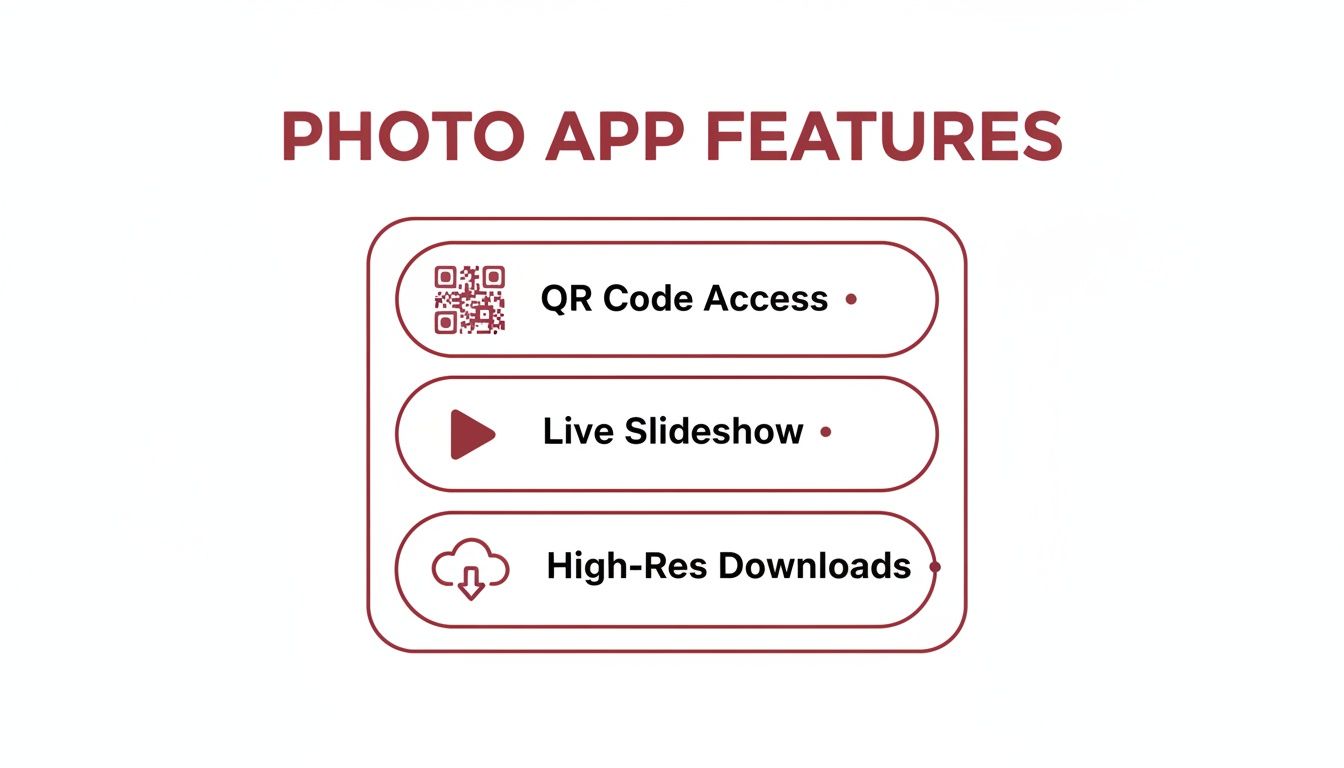
These core elements work together to make the whole process feel effortless, encouraging everyone to start snapping and sharing from the moment they walk in.
Your Simple Setup Checklist
Follow these quick steps to get your gallery ready and make sure your guests have a seamless experience. A little bit of prep work now is all it takes to turn every guest into a member of your unofficial photography team.
-
Personalize Your Event Gallery: Start with a warm welcome message. Something short and sweet like, “Welcome to our wedding! Help us capture all the love and laughter by adding your photos here,” makes the whole thing feel personal, not like some generic tool.
-
Design Your QR Code: Don't just stick with a boring black-and-white square. The best apps let you customize the colors and design to match your wedding invitations or decor perfectly. For a ton of creative ideas, check out our complete guide on where to place your wedding QR code.
-
Create Simple, Clear Instructions: Nobody wants to read a manual. Place small, elegant cards on each table, a sign at the bar, or a little note near the guestbook. Keep the language direct: “Scan to Share Your Photos!” This makes it easy for even your least tech-savvy relatives to join in.
-
Do a Pre-Wedding Test Run: This is the most important step! Grab a few people from your wedding party and have them scan the code, upload a test photo, and make sure it all works smoothly. This five-minute check can save you from any day-of technical headaches.
App Setup vs Traditional Photo Collection Methods
It's tempting to think a simple hashtag or asking guests to text you photos will work, but a dedicated app streamlines everything. Here’s a quick look at how the methods stack up.
| Aspect | Wedding Guest Photo App (e.g., Wishgram) | Hashtag on Social Media | Manual Collection (Email/Text) |
|---|---|---|---|
| Setup Effort | Low: 10-15 minute setup with customization. | Minimal: Just invent a hashtag. | Zero: No initial setup required. |
| Guest Ease of Use | Very High: Scan a QR code, no app install needed. | Medium: Requires social media account, remembering the tag. | Low: Guests must manually find and send photos. |
| Privacy | High: Private, invite-only gallery. | Low: Public by default, anyone can view/use photos. | High: Photos are sent directly to you. |
| Photo Quality | High: Full-resolution originals. | Low: Social media platforms compress images. | Medium: Quality depends on the messaging service. |
| Organization | Automatic: All photos in one central, organized album. | Chaotic: Requires searching and saving from multiple profiles. | Very Chaotic: Floods your phone/inbox, requires manual sorting. |
| Outcome | A complete, high-quality collection of memories. | An incomplete, low-res mix of public photos. | A scattered, overwhelming mess of files. |
As you can see, the small amount of time spent setting up an app pays off massively in the quality and completeness of the photos you receive.
This kind of digital-first approach is becoming the new standard. The wedding photography market is on track to hit USD 43.6 billion by 2033, largely because of tools that make photo sharing this easy. With over 70% of event photos now snapped on guest smartphones, having a solid app isn't just a nice-to-have—it's essential for capturing the full story of your day. You can read more about these market growth insights to see just how much apps are changing the game.
How to Encourage Guests to Share Their Best Photos

So you've got a wedding guest photo app. That’s step one. But the real magic happens when your guests actually use it. To capture those priceless, candid moments, you have to make sharing photos feel like a natural and fun part of the celebration, not a chore.
Think of it like getting people onto the dance floor. A great DJ doesn’t just hit play; they build an atmosphere that pulls everyone in. The same goes for your photo app. A single sign at the entrance just won't cut it. You need to weave the experience into the fabric of the entire event.
A brilliant way to kick things off is by deputizing a few of your most outgoing friends or family members as "photo ambassadors." Give them a simple mission: be the first to start uploading pictures. When other guests see them snapping and sharing, they'll be much more likely to join in.
Make It Visible and Simple
When it comes to getting guests involved, visibility is everything. Your QR code needs to be everywhere people look, not just tucked away at the gift table. Once the party is in full swing, nobody’s going back to the entrance to find a sign. For some great placement ideas, check out our guide on creative places to put the QR code.
The golden rule for guest participation is to remove every possible barrier. Make it so easy to share a photo that it’s harder not to.
Here are a few proven strategies that work like a charm:
- Get Your Vendors on Board: Ask your DJ or MC to make a quick, energetic announcement. A simple shout-out like, "Hey everyone, don't forget to add your amazing photos to the live slideshow!" can work wonders.
- Sprinkle Reminders Everywhere: Print the QR code on cocktail napkins, table menus, or small, elegant cards placed at each setting. The more touchpoints, the higher the participation.
- Lead by Example: Get your wedding party to use the app throughout the night and talk about it with other guests. Nothing works better than a little social proof.
Gamify the Experience
Who doesn't love a bit of friendly competition? Turning photo sharing into a game can massively increase the number of pictures you get.
Announce a contest for the "Best Photo of the Night." You could even have a few fun categories like "Funniest Moment," "Best Dance Move," or "Most Romantic Candid." Offer a simple prize—a bottle of wine, a gift card—to the winner.
This simple trick transforms photo sharing from something passive into an interactive game. There's a reason the photobooth software market is expected to grow by USD 339.1 million by 2029; interactive apps make events more engaging. In fact, personalizing an event with an app can boost guest engagement by as much as 60%, often resulting in over 500 photos per event. It's a testament to how apps are driving market growth by making participation irresistible.
Protecting Your Memories with Smart Privacy and Storage
After the last dance is over and the confetti has been swept away, what you have left are the memories. And those memories—captured in photos and videos—are absolutely priceless. This is about more than just collecting pictures; it's about protecting them for the long haul, something a public social media hashtag just can't do.
Think about it. Slapping #SmithJonesWedding2024 on Instagram throws your most personal moments out into the public square. Anyone, anywhere, can see, download, or misuse those photos. You have zero control. On top of that, platforms like Instagram and Facebook crush the quality of your images, making them grainy and basically useless for printing.
Keeping Your Moments Private
This is where a dedicated wedding guest photo app really shines. It's not a public bulletin board; it’s a private digital vault for your memories. You control who gets the key.
Here’s how most apps put you back in the driver's seat with essential privacy settings:
- Password-Protected Galleries: Simple and effective. Only guests with the password can get in.
- Invite-Only Access: Using a unique QR code or a private link means only the people you actually invited can join the fun.
- Controlled Sharing: You get the final say on who sees the complete collection, keeping intimate moments away from prying eyes.
A private gallery isn't just about you. It’s about respecting your guests' comfort, ensuring that photos of their kids or older relatives are shared in a safe, controlled space.
Securing Your Photos for the Future
Privacy is one half of the equation; the other is making sure these photos last a lifetime. A good app will store every single photo and video in its original, high-resolution format. That's the critical difference between a blurry social media post and a crystal-clear memory you can hang on your wall.
The best services, like Wishgram, give you long-term access to your online gallery—often for 12 months or more. This gives you plenty of time to relive the day and share the gallery with guests. But the most important feature? A simple, one-click option to download everything. This lets you create your own permanent backup on a computer or hard drive, ensuring every candid laugh and happy tear is yours to keep, forever.
Putting It All Together With Wishgram
Knowing what makes a great wedding photo app is one thing, but seeing how all those features actually come together to make your life easier? That’s where the magic happens. This is exactly where Wishgram shines, turning the often-chaotic job of collecting memories into something genuinely simple and fun for everyone.
It all starts with our dead-simple frictionless QR code access. Your guests scan a code—no apps to download, no accounts to create, no passwords to forget. They're instantly ready to upload. This one tiny detail makes a massive difference in how many people actually participate, getting you photos from your tech-savvy cousin and your grandma who still prints out driving directions.
A Dynamic and Interactive Experience
But Wishgram does more than just collect files in a folder. It becomes a living, breathing part of your reception.
Imagine your guests catching a hilarious dance-off or a heartfelt toast and seeing it pop up on a live slideshow just moments later. This isn't just a gimmick; it's an engagement engine. When people see their photos become part of the celebration in real-time, it encourages everyone else to jump in and share their own perspective. It builds this incredible energy and makes every guest feel like they’re part of telling the day's story.
Of course, this isn't just about getting more photos; it's about getting better photos. Every single picture and video is saved in its original, high-resolution format.
With Wishgram, you're not just getting blurry clips for an Instagram story. You're collecting print-quality memories, perfect for creating a gorgeous physical photo album you can actually hold and cherish for decades.
Secure, Simple, and Stress-Free
Finally, let’s talk about the boring but crucial stuff: privacy and access. Wishgram handles it all without you having to think twice. Your photo gallery is a secure, private space that you only share with the people you invite.
And when the party’s over? Downloading your entire collection of memories is as easy as a single click. You get a permanent backup of every laugh, every tear, and every candid moment.
By combining effortless sharing, genuinely engaging live features, and a serious commitment to quality and privacy, Wishgram stands out as the ideal wedding guest photo app. It takes all the stress out of collecting memories so you can focus on what really matters—enjoying your day, knowing every moment is being safely and beautifully saved.
Got Questions About Wedding Photo Apps? We've Got Answers
Stepping into the world of wedding tech always brings up a few questions. From my experience, most couples circle around the same three things: How much will it cost? Will my less-techy relatives be able to use it? And what happens to our photos after the champagne has been popped?
Getting clear, honest answers to these is the key to picking the right tool with confidence. So, let’s get into it.
First up, the budget. What’s the damage? Most of these services work on a simple, one-time fee for your event, usually landing somewhere between $20 and $100+. When you think about the cost of a second photographer, it's a steal. You're getting hundreds of extra photos from every possible angle, all neatly collected in one spot.
Making It Easy for Everyone (and Keeping Your Photos Safe)
A big worry I hear all the time is about accessibility. "What about Grandma? Will she be able to figure this out?" Absolutely. The best apps, and this is something we obsessed over with Wishgram, are built to be dead simple.
Guests just point their phone's camera at a QR code, and a simple webpage pops up. No app to download, no confusing sign-up process. If they can scan a QR code at a restaurant to see the menu, they can do this.
The whole point is to make sharing effortless. If a guest can take a photo on their phone, a well-designed wedding photo app should feel just as intuitive.
Okay, so the wedding is over. What happens to all those amazing photos and videos? They're all kept safe and sound in your own private online gallery. Most services give you access for a good chunk of time—often a full year—so you have plenty of runway to download, share, and just enjoy scrolling through the memories.
And the most important part? You can easily download everything. All the high-resolution photos and videos come down in one neat file. This gives you a permanent, high-quality backup to keep forever, perfect for printing that gorgeous wedding album or creating other keepsakes down the road.
Ready to capture every candid moment from your special day effortlessly? With Wishgram, guests can share photos and videos with a simple QR code scan—no app download needed. Create your beautiful, private gallery and preserve your memories in full quality. Start your Wishgram memory book today!