Most questions from guests arise when the couple already has enough on their plate: „What time does the ceremony start?”, „How do I get to the venue?”, „Is there transportation?”, „What’s the plan for the day?”. Instead of answering the same messages for the tenth time, you can gather everything in one beautiful place—accessible to everyone with just a click on a link or scanning a QR code.
Polish wedding website template lets you create such a space in a few minutes, without designing from scratch, coding, or asking anyone for technical help. Just add your own photos, the date, location, and the most important information so guests immediately get a feel for your day—and know exactly where and when to show up.
The best solutions also ask nothing of the invited guests: no app and no account setup. It should be convenience, not another task—especially since the page can be updated from a phone and every change shows up right away.
What should a good Polish wedding website template stand out for?

Ready sections that save time for the couple
The best template doesn’t start from a blank page—it starts by answering the questions guests ask most often: where to park, what time the ceremony starts, how to get to the venue, and whether there will be an after-ceremony gathering. That’s why a good Polish wedding website template should come with ready, easy-to-fill sections.
The foundation is a stunning welcome: photo of the couple, names, date, venue, and a countdown timer to the wedding. Next, separate sections for the ceremony and reception come in handy, with the full address, an interactive map, and a one-click navigation button. Guests shouldn’t have to copy the address into their phone or look for it in messages from a few months ago.
In practice, the most useful elements are also the day schedule, FAQ, menu, practical information, gallery, and the couple’s story. The schedule organizes the day from the ceremony to the cake, and the FAQ can clarify things like accommodation, dress code, or children at the wedding. The relationship story gives the page a personal tone, but it shouldn’t replace the specifics. Logistics first, then the emotions.
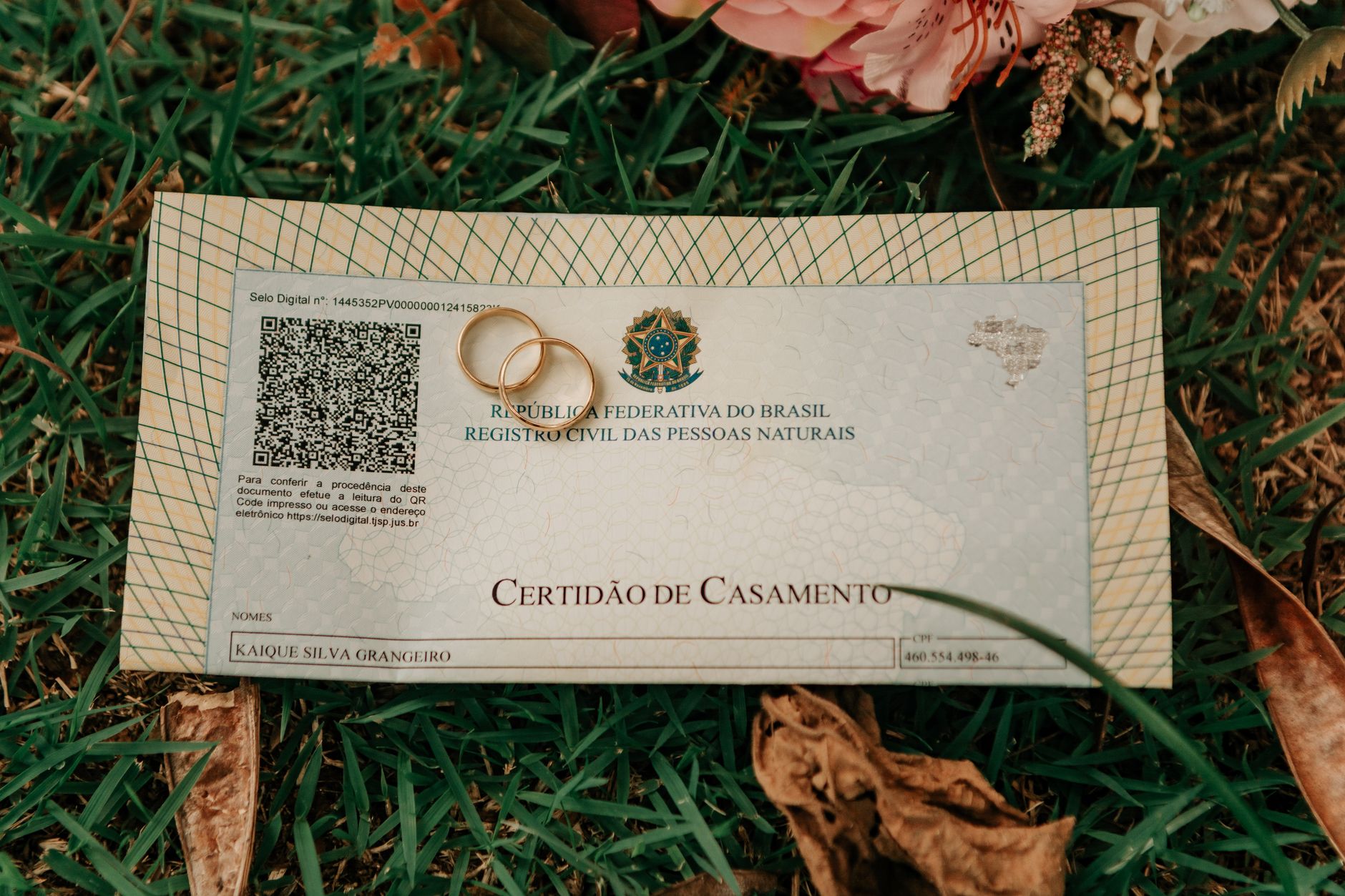
Polish language version and convenience for every guest
A wedding page should help the whole family, not just friends who navigate new apps effortlessly. That’s why the Polish interface, simple messages, and clear buttons matter more than impressive but unclear animations. If grandma can find the venue address without any trouble, and the best man can check the day plan in a few seconds, then the page is doing its job.
It’s worth choosing a solution that opens directly in the browser when you click a link or scan a QR code. No app installation, registration, or remembering passwords. The free Wishgram wedding page works exactly this way, and its sections can be edited from your phone. This is especially important when a transport time change appears a week before the event.
For international weddings, the ability to share content with guests in other languages will also be a plus. However, Polish should remain the natural starting point: the names of traditions, organizational tips, and the tone of communication should sound familiar—not like an automatic translation of a foreign creator.
Personalization without designing the page from scratch
A ready template should shorten your work, not impose one specific aesthetic. It’s best if it lets you change the hero image, colors, text, motto, and the order or visibility of sections. That way, a minimalist wedding in an orangery and a glamorous celebration don’t look like the same page with only swapped names.
On Wishgram, you can turn on only the elements that will truly be useful to your guests and match their look to your invitations or the theme. This is more sensible than building a website from scratch or paying for an extensive creator when what you primarily need is elegant, up-to-date information in one place. And after the wedding, the same account can be used to collect wishes, photos, and videos in a digital memory book.
Free Wishgram wedding website template — what do you get?
A complete wedding page for 0 zł, without a card and without a guest limit
Many “free” creators end the moment you want to publish the page or invite more people. Wishgram works differently: it’s a complete Polish wedding website template available for 0 zł, with no trial period, no hidden fees, and no need to provide a card number.
There’s also no limit on how many guests can view the page. You can send the link to the entire family, put a QR code on invitations, and share it with the best man without worrying whether another person will “use up” access. The page simply makes planning easier—not creates another item on your wedding spending list.
Modules ready to be filled with your own content
A ready template doesn’t mean a rigid, identical page for everyone. On Wishgram, you choose the sections your guests actually need and fill them with your own information. To start, you can add a full-screen image, names, the date, the venue, and a motto—while the countdown timer will measure days, hours, minutes, and seconds until the ceremony.
- Your story helps you build a timeline from the first meeting to the engagement—without any limit on important moments.
- Ceremony and reception include an address, a note, an interactive map, and a one-click navigation button.
- Schedule, FAQ, and practical information reduce repetitive questions about times, accommodation, parking, or dress code.
- Gallery, menu, bridal party, and presentation of the couple give the page a personal character instead of turning it into a dry organizational announcement.
Edit from your phone and publish changes instantly
The wedding plan can change a few days before the event: transport time shifts, a new parking detail appears, or you update the menu. On Wishgram, there’s no need to open a laptop or send a new invitation version. From your phone, you can show or hide the selected modules, update the content, and immediately publish the current version under the same link.
Guests open the page in their browser—without installing an app and without creating an account. It’s a small convenience that matters especially when you have guests of different ages or people living abroad.
One account for planning, the wedding, and a keepsake after the event
The free Wishgram wedding page organizes the planning stage, but its role doesn’t have to end on the wedding day. In the same account, you can activate a paid digital memory book: guests scan a QR code and send photos, short videos, and wishes without registration.
After the wedding, those materials don’t turn into a random gallery. Wishgram arranges them into an elegant downloadable e-book, and those who want to can also order a hardcover photo book. First, one page collects the key information—then the same place helps preserve the emotions from the event for years to come.
How to create a wedding page with a ready Wishgram template step by step
Create a free account and set up your event
A guest page doesn’t have to mean evenings spent choosing hosting, a domain, and plugins. On Wishgram, you start with a free account at app.wishgram.app, without providing a card number. Next, you create your event: you enter the basic wedding details and get one place where you manage all communication with your guests.
That’s more important than it sounds at first. The event is the base for both your wedding page before the ceremony and for the digital memory book you can use later. So there’s no need to move data between multiple tools or create additional accounts. A ready Polish wedding website template gives you the structure, and the couple decides which sections to turn on and what to fill them with.
Fill in the most important information for guests
The best wedding page answers questions before anyone sends the message „What time does the ceremony start?”. First, enter practical information, and only then focus on decorative details. This way, the page genuinely relieves the couple in the final weeks before the wedding.
- the date and time of the ceremony and reception,
- venue addresses with a map and simple navigation,
- an organizational note, for example about parking, accommodation, or transportation,
- the day schedule: ceremony, wishes, lunch/dinner, the first dance, or the after-party,
- answers to frequently asked questions, the menu, and contact details for the couple or the assigned person.
Don’t publish everything by force. If you’re not organizing accommodation, a short, specific message is enough. Readability wins over long, elaborate text.
Add photos, your story, and a style that fits the wedding
The welcome photo should be clear on a phone screen. A shot with faces, good lighting, and a calm background usually works better than a dark distant photograph. Next to names, dates, and locations, it’s also worth adding a short motto and a countdown to the wedding—an easy touch that builds a sense of anticipation.
The timeline of „Your story” doesn’t need to look like a biography. Three to five moments are enough: the first meeting, a shared trip, the engagement, and the wedding. Add a date, a title, and one or two sentences of description. In the Wishgram panel, you can also match colors to your stationery, flowers, or the theme. Keep it balanced: two dominant colors and consistent text tone look more elegant than every section in a different style.
Share your page via link or QR code
Once you save your changes, the page is ready to send. It’s a good idea to include the link in your digital invitation, email, or family group. A QR code works well on a printed invitation, an information insert, the day schedule, and a sign by the entrance to the venue. A best practice is to send the link for the first time a few weeks before the wedding, and then remind people about it a few days before the event.
Guests scan the QR code or open the link and immediately see the page in their browser. There’s no need to install an app or create an account. It’s a small technical difference that matters a lot when your invitees include guests of different ages or people from abroad. The Wishgram page works in four languages, so it’s easier to share the same information with everyone.
How to fill out a wedding website template so guests actually use it?
Start with the information guests look up most often
The most beautiful love story won’t help anyone find the ceremony at the right time. Guests open the wedding page primarily for specifics: where, when, and how. That’s why you should fill in the Polish wedding website template starting with organizational information, and only then expand it with a gallery or your relationship timeline.
On the first screen, provide the date, start time, and two separate addresses if the ceremony and reception take place in different locations. An interactive map and a navigation button—available on the Wishgram page—shorten the route from the question „Where exactly?” to hitting the road with one click.
- the ceremony and reception times, plus an approximate end time;
- transportation, parking, and accommodation details;
- dress code, if you truly agree on it;
- a clear message about children and accompanying people;
- gift preferences and how to confirm attendance.
Don’t hide this information in long text. A guest checking the page in a taxi or between appointments needs answers in a few seconds, not a literary riddle.
Write the FAQ in simple, friendly language
An FAQ is not a wedding rulebook. It’s a polite way to address questions people will ask anyway, by phone, three days before the event. Short questions and clear answers work better than formal announcements.
Instead of „People not included in the invitation are not expected,” write: „Due to the number of seats, we kindly ask you to arrive in the group specified on the invitation. Thank you for understanding.” Instead of the vague „No children,” you can use: „We would like to celebrate this evening with adults only.”
In the FAQ, it’s worth explaining right away parking, after-ceremony gatherings, vegetarian dishes, and allergies, check-in times for accommodation, and gift formats. If you’re asking guests to report allergies, specify the deadline and an easy way to contact you. The fewer assumptions, the fewer awkward messages.
Update the page when the wedding plan changes
A wedding page is useful only if it stays up to date. The wedding plan rarely remains unchanged for many months before the date: bus time changes, entry to the venue changes, the parking layout changes, or the after-ceremony gathering plan changes. A paper invitation won’t fix it, but a digital page can be updated immediately.
On Wishgram, editing also happens from your phone—so it’s worth treating the page like a single source of current information. A week before the wedding, add weather-related tips, for example asking for comfortable shoes for an outdoor ceremony. The day before the event, confirm transport times and the contact number for the person coordinating. After the wedding, you can also add the after-ceremony gathering plan.
These are small updates, but the impact is big: fewer calls to the couple, fewer delays, and more calm where it truly matters.
Wishgram, Canva, Wix, or Squarespace — which wedding website template should you choose?
Wishgram: the best choice for couples who want a ready Polish wedding website
A wedding page should solve guests’ questions, not create another item on the couple’s to-do list. That’s why if you’re looking for a solution you can launch quickly without designing from scratch, Wishgram is the most practical choice. It’s a Polish wedding website template designed around a real wedding plan: welcome with a countdown, the couple’s story, schedule, ceremony and reception information, directions map, FAQ, menu, and gallery.
Each section can be turned on, turned off, and filled with your own content directly from your phone. You send the finished page to guests via a link or place a QR code on the invitation. Guests open it in their browser—no apps, no accounts. Importantly, the page is completely free, with no card, no hidden fees, and no guest limit.
Wishgram also has an advantage that regular creators don’t offer: from the same account, you can later activate a digital memory book for the wedding day. Guests scan the QR code, add photos, videos, and wishes, and after the event you get an e-book or an optional photo book. The page informs before the wedding, and the book preserves the emotions after it.
Canva: great for designing a visual announcement, not necessarily a full page
Canva works brilliantly when what matters most is appearance: an online invitation, graphics with the wedding date, a „save the date” card, or a simple, visually consistent announcement. The template library offers plenty of inspiration, and the editor is intuitive even for people without design experience.
However, you need to distinguish a pretty design from a useful guest page. In Canva, the couple adjusts the layout themselves, creates additional information blocks, and ensures everything is convenient on a phone. It’s not a wedding planning tool with a ready-made flow and sections like schedule, directions, or an FAQ prepared specifically for this occasion. It’s a good choice for people who mainly want to refine the look of one page themselves.
Wix and Squarespace: more freedom, at the cost of configuration time
Wix and Squarespace are advanced website builders where you can create a highly individual wedding site. They give you control over typography, layout, photos, and additional subpages. Such flexibility is valuable if the couple has a specific vision or wants to build a site going beyond guest information.
In practice, it also means more decisions: choosing a theme, setting up the structure, fine-tuning the mobile view, and building key wedding elements yourself. For couples planning a wedding a few months ahead, this is often unnecessary work. Wix and Squarespace remain reasonable alternatives for people who want full control, but Wishgram fits the simple goal better: quickly publish an elegant, functional wedding page and later, in the same place, gather wedding memories.
When should you launch your wedding website and what to do after the wedding?
Most guests’ questions don’t come a week before the wedding—they pop up right after they receive the invitation. „What time is the ceremony?”, „Is there parking on site?”, „How do I get to the venue?”—one well-prepared page solves these issues before they turn into a chain of messages. And after the wedding, it can smoothly give way to memories that won’t disappear from participants’ phones.
Publish the page before you send invitations
It’s worth launching the basic version of the page before sending invitations, even if you haven’t finalized every detail yet. All you need are names, the date, ceremony and reception location, plus a convenient link or QR code to put on the invitation. This Polish wedding website template lets you get started quickly—without designing a website from scratch and without involving an IT person.
With Wishgram, you can edit the page later from your phone, and changes are visible immediately. First add the map and basic information, then fill in the schedule, FAQ, menu, or accommodation tips. This is a more sensible model than printing all details on paper: if your transport time changes from 16:00 to 16:30, you update one entry instead of contacting 80 people. The page is free, doesn’t require a card, and doesn’t limit the number of guests.
On the wedding day, add a digital memory book
The wedding page organizes the event before the ceremony; the digital memory book starts working when there’s the most activity. Place a Wishgram QR code on the tables, at the entrance, or next to the bar. After scanning, the guest opens the page in their browser and can upload a photo, a short video, wishes, and a caption. No app downloads, no registration, and no searching for a spare spot in a paper guest book.
This is a significant difference from a classic guest book and Instax set. A paper keepsake usually collects just a few entries and a limited number of photos, and a photo booth can create queues. Wishgram gives guests freedom: someone can send a funny photo from the dance floor, and someone else can record a few words for the couple—even after they’ve already returned home. The guest interface works in Polish, English, German, and Ukrainian, which matters for multilingual weddings.
Turn wishes and photos into an e-book or a photo book
After the wedding, it’s not worth leaving everything in a chaotic gallery. In the Wishgram panel, the couple arranges the collected photos, videos, and wishes into a personalized e-book: choose a layout, colors, and the content—and download the finished file as a PDF. The memories gallery can also be shared with guests via a link, so everyone can return to the best shots without sending dozens of files in messages.
For people who want a keepsake beyond a screen, a printed hardcover photo book is available. This is the stage that brings the whole path together: the free wedding page helps guests get to the wedding and find the key information, and the digital memory book turns their presence into an enduring story to look back on one year from now, five years from now, and much later.
A page that guides guests from the first information to a lasting memory
A good Polish wedding website template shouldn’t overwhelm either you or your invited guests. It should let you organize the most important information in moments, look consistent with the character of the celebration, and open effortlessly on every phone. Choose a solution that’s easy to share via a link or QR code—then guests will always know where to check the day schedule, directions, and practical tips.
You can create a free wedding page on Wishgram without a card, without a guest limit, and without installing apps—and then use the same place to collect photos, videos, and wishes in a digital memory book. The most beautiful organization is the kind that turns into a keepsake after the wedding.