
The best birthday photos rarely end up where they should. They stay on other people’s phones, get lost in messages, get shuffled through several chats, and after a few days nobody remembers who captured that one truly perfect moment. If you’ve ever wondered how to collect photos from guests after a birthday, it’s probably not just about the files — it’s about the memories that won’t scatter across random places.
The problem starts once the emotions have cooled down. You have to message friends, remind them, ask them to send the photos, and still, part of the materials never come back to the organizer. It’s even harder when you want to create something more than a folder full of random shots — a real keepsake that you can return to for years. That’s why more and more people look for a solution that’s simple for guests — no installing anything — while for you it turns photos, wishes, and short videos into one cohesive story.
Why it’s so hard to collect photos from guests after a birthday

What happens to photos after the party
Most birthday photos aren’t lost during the party — they go missing the next day. Then the familiar chaos starts: a few shots land on Messenger, some end up on WhatsApp, someone posts a story on Instagram, and another person promises they’ll “send them later” and never does. The result? The photos exist, but they’re not in one place.
That’s why the question how to collect photos from guests after a birthday comes up so often. The problem isn’t a lack of willingness from friends. The problem is friction. The more steps you need to take after the party, the lower the chance that guests will actually send everything they have. Especially when photos are scattered across the phone gallery, a group chat, and private messages.
In practice, the organizer ends up with a random set: 20 photos from one person, 3 from another, and nothing from the person who took the best shots of the cake or the candle-blowing moment. The most valuable memories often stay on other people’s phones.
The most common mistakes organizers make
The most misleading assumption is that guests will organize themselves. Usually they don’t, because after the party everyone goes back to their routine, and sending photos drops to the bottom of the priority list. Without a simple system, the materials start to drift apart.
- Asking everyone individually — works with 5 people, but with 15 or 25 it becomes exhausting and it’s easy to miss something.
- No clear deadline — if nothing specific is set, photos will trickle in for weeks or not at all.
- Using multiple channels at once — a link in an SMS, a reminder on Messenger, a request on Instagram. It doesn’t make things easier — it only blurs responsibility.
- Relying on guests’ memory — after a few days, enthusiasm drops, and photos get buried under hundreds of new files on the phone.
Organizers often focus on simply “getting the photos,” not on how to reduce effort on the guest’s side. And it’s precisely this detail that determines whether you collect 80% of the material or just 20%.
Why a photos gallery alone isn’t enough
Even if you manage to gather the files into one folder, that doesn’t automatically mean you have a good keepsake. A photos gallery organizes the images, but it doesn’t capture the emotions. What’s missing are captions, short wishes, context, and those few sentences that, after a year, mean more than a simple group photo.
That’s why a regular folder doesn’t solve the problem. It doesn’t show who took the specific shot, what they wanted to convey to the birthday person, or what reactions came with that moment. And birthdays aren’t just table and cake shots. They also include voices, spontaneous videos, jokes, and small memories that can’t be read from photos alone.
That’s why it works better when the solution is designed as a digital birthday memory book, not just a file storage magazine. In practice, this is where Wishgram stands out: guests don’t need to install anything or create accounts — they can send a photo, a video, and wishes in one place, and the organizer isn’t left with scattered materials. Alternatives like a paper Instax guest book or a photo booth can also create a keepsake, but they’re more expensive and collect only a small part of what’s really happening at the event.
How to set up photo collection even before the birthday
Most photos aren’t lost because people don’t take them. They’re lost because nobody figured out where they should go ahead of time. After the birthday, the classic chaos begins: some photos sit in Messenger, some in WhatsApp, someone posts a story, someone else promises to “send them later,” and that’s where it ends. If you truly want to know how to collect photos from guests after a birthday, start not the day after, but a few days before the event.
Choose one simple way for guests to send photos
This is the most important decision. One channel always beats five “just in case” options. When guests have multiple choices, in practice they won’t use any consistently. The organizer is left later with dozens of conversations, screenshots, and requests to resend files in better quality.
That’s why it’s better to start with one place where all the memories go. For birthdays, a solution like Wishgram works well because guests don’t need to install apps or create accounts — they just scan a QR code and send materials directly from their browser. That’s a big advantage over improvising collection through private messages or social media, where it’s easy to lose something and file quality is often reduced.
Alternatives exist, of course: some people try to manage it through Messenger, WhatsApp, or Instagram. The problem is that these tools aren’t designed as an event keepsake. They’re fast but messy. And it’s not only about collecting photos — it’s about creating something you can truly come back to after a year or five years.
Tell guests during the party where to add their memories
Even the best system won’t work if guests only find out about it after the party. Then enthusiasm fades, phones are full of new photos, and your request ends up on the “I’ll reply later” list. That’s why the message must appear during the birthday — short, visible, and repeated at least twice.
- A table sign with a QR code — the simplest form, because it works without explaining anything.
- A short message from the host or the birthday person — one sentence is enough: “Post your photos and wishes here.”
- A mention in the invitation — good if you want to introduce guests to the idea beforehand.
- A description near the cake or gifts area — where attention naturally focuses.
In practice, the best approach is combining a visible QR code with a short spoken message. The fewer steps, the more materials get sent.
Decide what materials you want to collect
Second mistake? A request like: “Send something from the party.” That’s too vague for guests. And it’s too vague for you. It’s better to decide in advance whether you’re collecting only photos or also short videos, captions, and wishes. That changes everything, because the final keepsake stops being a chaotic gallery and starts to feel like a personal birthday chronicle.
If you want a more emotional effect, it’s worth asking not only for a photo, but also for one sentence from each guest. Even a short caption like “Happy birthday and even more of these evenings” gives the photo a completely different weight a year later. Wishgram organizes this well because it lets you collect photos, text, captions, and even short videos in one place — and then turn it all into an e-book or photo book.
In short: the better you plan the format before the party, the less you’ll have to ask, remind, and recover later. And that’s exactly the goal.
Best ways to collect photos from guests after a birthday
The biggest problem usually isn’t that guests don’t take photos. They take plenty. The trouble starts the next day when it turns out the memories are scattered across five messengers, several social media profiles, and other people’s galleries. If you’re wondering how to collect photos from guests after a birthday, it’s worth thinking not only about collecting the files, but also about what you can do with them later.
Private messages and groups on messengers
This is the easiest place to start because it requires no preparation. You post a message on Messenger, WhatsApp, or via SMS and ask: “send the pics.” What do you get? Fast, but chaotic. One person sends 20 photos right away, another sends them a week later, and the third promises and then forgets.
Quality is another issue. In many messengers, photos are compressed, so the files look good on a phone screen but worse after saving or printing. Plus, it’s easy to miss some materials, especially when photos land in multiple different chats at once. This works for a small gathering, but with more guests it quickly turns into manual chaos-sorting.
A shared folder or online drive
A shared folder in the cloud is one step up. All the photos go to one place, so it’s easier to manage. The organizer can also immediately check what’s missing and whether the materials are in original quality.
The problem is that for some guests it’s not as convenient as it sounds. They need to click a link, sometimes log in, understand the interface, and remember to upload files correctly. For less tech-savvy people, that’s enough reason to put it off “for later.” And later often never comes. Such a folder archives files well, but it doesn’t become a keepsake on its own.
Hashtags and stories on social media
A birthday hashtag sounds modern and can help, especially if guests actively post stories. That way, you can quickly find some photos in one feed. But it’s more of a method for promoting the moment than building a complete archive.
Not everyone posts publicly. Some people share materials only with friends, others not at all. Stories disappear, posts get scattered, and downloading everything later is simply inconvenient. Social media can be a nice add-on, but a weak foundation if your goal is a complete keepsake.
A digital memory book with a QR code
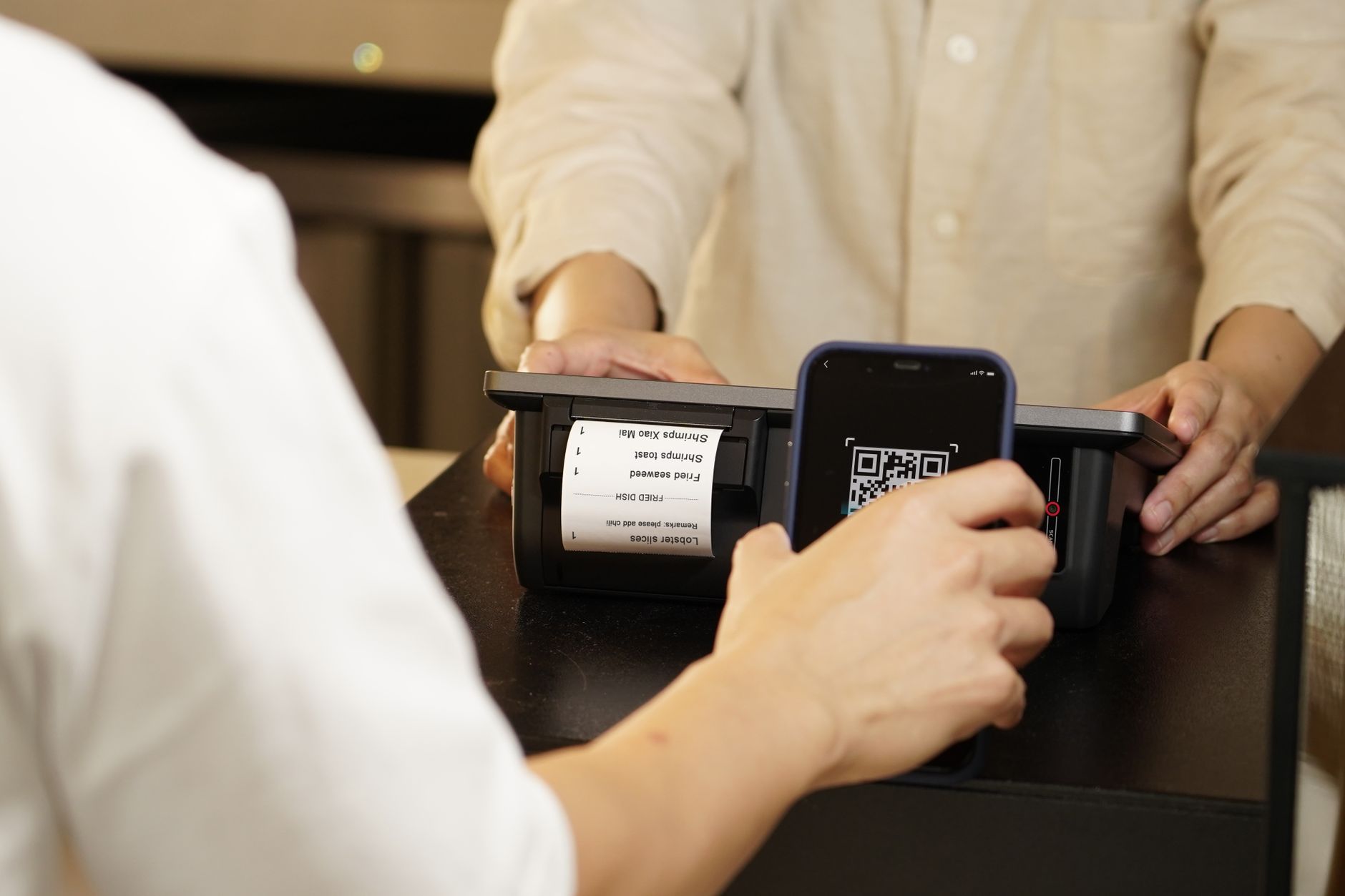
This is the solution that works best when you want to combine guest convenience with order on your side. Guests scan a QR code and immediately in the browser send photos, short videos, and wishes. No app installation, no account creation, no explaining five steps.
In practice, it’s exactly this simplicity that makes the difference. Tools like Wishgram gather everything in one place and go beyond a regular gallery: after the event, you can turn the collected materials into a polished e-book or a printed photo book. This matters because a paper Instax guest book or a photo booth creates an “instant” effect, but it’s more expensive and less flexible. A digital memory book lets you collect more, more easily and without queues — and then truly keep those memories for years.
How to collect photos after a birthday step by step, without stress
Most photos get lost not because guests don’t take them, but because nobody gives them a simple way to send them right away. After the party, the phone goes back into a pocket, a week passes quickly, and then all that remains are promises like “I’ll send it to you later.” So if you’re wondering how to collect photos from guests after a birthday, the key is simple: limit the number of steps to a minimum and plan the whole process before the first toast.
Step 1: prepare one place to collect photos
Most common mistake? Distraction. Part of the photos land on Messenger, part on WhatsApp, a few people post something on Instagram, and the rest send nothing. After the birthday, it turns into digital chaos.
So choose one central collection spot. In practice, the best solution is one that doesn’t require guests to install apps or create accounts. And that’s where Wishgram has the advantage: the guest scans a QR code, opens a page in the browser, and can immediately add a photo, a video, or wishes. No explaining, no logging in, no resistance.
Alternatives exist, but they have limitations. A paper Instax guest book gives a “right here, right now” vibe, but it costs around 1200 PLN and ends with just a few prints. A photo booth can be impressive too, but it takes space, creates lines, and usually collects only a fragment of what’s happening in the room. If you want a fuller picture of the whole event, a digital memory book is simply more practical.
Step 2: place a link or QR code in a visible spot
Even the best tool won’t work if guests don’t notice it. A QR code or link should appear where people naturally pause and look: at the entrance, on the cake table, next to the gifts, by the bar. One sheet of paper isn’t enough. Two or three placed in different locations work much better.
It’s also worth adding a short encouragement — specific and human. Instead of a dry “add photos,” write: Take a photo, add it right away, and leave a keepsake for the birthday person. The fresher the emotions, the more likely someone will actually do it on the spot.
Step 3: send a reminder after the party
Not everyone will send materials right away — and that’s normal. A good reminder is worth sending after 24–72 hours, when the memories are still fresh but guests have already had time to return to everyday life.
- write it short and specific,
- provide a direct link,
- add a deadline, for example: “If you have photos, send them by Sunday.”
This kind of message works better than a generic “if you have anything, send it.” People are more likely to respond when they know exactly what to do and how long it will take. Especially when the whole process takes just a dozen seconds.
Step 4: organize the photos and choose the keepsake format
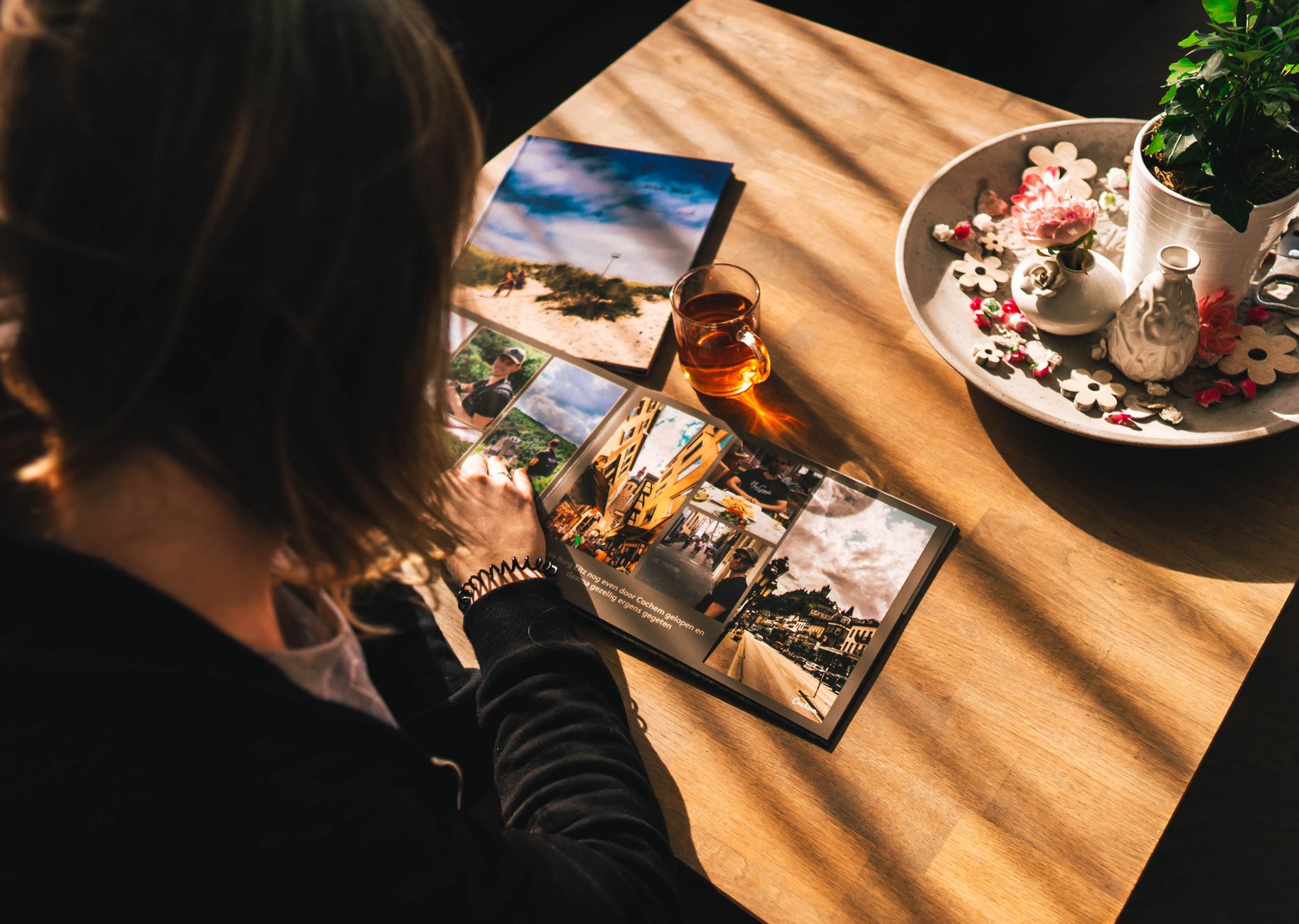
Once the materials have been sent, don’t leave them in a raw gallery. A simple bundle of photos rarely becomes a keepsake you truly come back to. Only selection, captions, and a sensible layout give it value.
It’s best to arrange photos chronologically: preparations, guests arriving, the cake, shared shots, and the evening’s finale. If you have wishes or short messages from guests, add them between the photos — then the whole thing starts to tell a story. That’s why Wishgram comes out stronger than a regular gallery: from the materials sent, an elegant e-book is automatically created, which you can download as a PDF or order as a printed photo book. And that’s the difference between “we collected a few photos” and “we have a keepsake for years.”
How to turn birthday photos into something more than a phone folder
The biggest issue with party photos isn’t that there aren’t enough of them. Usually it’s the opposite: after a birthday, you end up with 200, 500, sometimes 1000 files that end up in one folder and you’ll be increasingly unlikely to open them. Photos alone aren’t a keepsake. A keepsake starts when photos get context, emotion, and a format you genuinely want to return to.
That’s why the question how to collect photos from guests after a birthday doesn’t end at just collecting files. What matters is what you do with them later. Well-organized memories work differently than a random gallery: they tell the story of the evening, show the people, and leave more than a series of cake, table, and candle shots.
Photos, captions, and wishes create a fuller story
After a few months, even a good photo can lose half its meaning if you don’t know who took it, what was happening at that moment, and why everyone was laughing. A short caption or a single sentence from a guest can change that. “This is the moment the lights went out,” “Happy birthday sung for the third time,” “Best 30th this year” — these little details build the narrative.
In practice, that’s where a digital memory book has an advantage over simply dumping photos into a folder. In Wishgram, guests can add not only photos, but also wishes and captions, without installing an app and without creating accounts. This matters because the less friction there is, the more valuable entries you get. And that’s exactly the point: not only to see faces, but also to hear what those people wanted to say on that specific day.
When it’s worth adding videos from guests
A photo captures the moment, but it doesn’t always convey the atmosphere. A short video catches things a frame can’t hold: the tone of voice, laughter after an awkward toast, spontaneous wishes from a late-arriving cousin, the birthday person’s reaction to a surprise. Sometimes 15 seconds of video says more than 20 photos.
Videos work especially well in three situations:
- when guests want to share more personal wishes,
- when something dynamic happens at the party — dancing, singing, entering with the cake,
- when part of the family couldn’t be there and later wants to feel the vibe of the event.
It’s not about turning the birthday into a film production plan. A few short recordings are enough. Used well, video adds life to the keepsake instead of chaos.
E-book or photo book — which works better after a birthday
If you care about speed and convenience, an e-book wins. It’s easy to download, you can send it to family with a link, keep it on your drive, and return to it on your phone or laptop. It’s a great option especially when guests live in different cities or abroad.
A photo book works differently. It’s physical, more “at home,” stays on the shelf, and is more likely to be picked up during visits. That’s why the best solution often isn’t either/or — it’s first an e-book, and then a print. Wishgram fits this model well, because from the materials collected from guests, an elegant e-book is automatically created, and later you can order a hardcover printed photo book.
Of course, there are other paths: a classic paper guest book with Instax prints or a photo booth. Both have their charm, but also limitations — higher cost, less flexible format, and no convenient digital sharing. If your goal is a keepsake for years, not a one-time attraction, it’s better to focus on the final effect already during the memory-collection stage.
What to pay attention to when choosing how to collect photos from guests
Most memories don’t get lost because guests didn’t take photos — they get lost because nobody made it easy for guests to send them. That’s the key difference. If you’re wondering how to collect photos from guests after a birthday, don’t choose a solution based only on what sounds “nice” in the description. What matters is what will work in real conditions: amid noise, after the cake, late in the evening, and among people who don’t want to set up accounts or install apps.
Fewer steps for guests means a better result
This is the most commonly overlooked point. Organizers focus on their own convenience, and the guest’s convenience determines success. Every additional step reduces the number of materials sent: installing an app, registering, logging in, confirming an email. In practice, that’s enough for half the people to put it off “for later” and never come back to it.
That’s why solutions based on simple browser access work best, ideally after scanning a QR code. This is where Wishgram has a clear advantage: the guest doesn’t need to download anything or create an account — they just open the link and immediately add a photo, wishes, or a short video. At a family party with teenagers, people in their thirties, and grandparents, this simplicity really makes a difference.
Alternatives exist, but not all of them serve the same purpose. A paper Instax guest book gives an “instant” effect, but it limits the number of photos and quickly becomes expensive. A photo booth, meanwhile, integrates well but usually collects only a fragment of the memories and requires being in one place. If the goal is a fuller keepsake from the entire event, a digital memory book is simply more practical.
It’s not only about collecting — it’s also about quality and order
Collecting 200 files from five messengers doesn’t yet mean you have a keepsake. You have chaos. A good solution should store photos in original quality, keep everything in one place, and make it easy to browse the materials after the event. This matters especially when, after a few weeks, you want to go back to the best shots instead of digging through chats and attachments.
Wishgram organizes memories from the start: photos, texts, captions, and videos go into one panel, and then they can be compiled into a cohesive e-book. That’s an important advantage over ad-hoc photo collection through private messages, where materials are scattered, described differently, or not described at all.
A good keepsake should be easy to share and durable
The best system doesn’t end at the moment you click “send.” It should lead to something you truly want to return to. A photos gallery alone isn’t enough if, after a month, nobody visits it anymore. A much bigger value is the format you can show to family, send to loved ones, and keep for years.
That’s why it’s worth looking not only at how you collect, but also at the end result. With Wishgram, from the materials you submit, an e-book is created and, optionally, a printed photo book as well. This turns a regular file collection into a ready keepsake. And that’s exactly what you want: not only to get back the photos from guests after the birthday, but to turn them into something lasting, organized, and easy to share.
What to do next
If you’re wondering how to collect photos from guests after a birthday, treat it not as a request to send a few files, but as planning a memory you’ll genuinely want to revisit. The best solution is simple for guests, prepared before the party, and immediately leads to a specific final result — not mess in messages, but an organized keepsake.
That’s why it’s worth choosing a format that collects not only photos, but also wishes and short videos, and then turns them into a ready e-book or photo book. If you want guests to be able to add everything easily, without installing anything and without creating accounts, Wishgram is the natural next step — because the best memories are the ones that don’t get lost in a phone gallery, but stay with you for years.