Let's be real—you want to see every single candid, joy-filled, slightly chaotic moment from your wedding day. The problem? Those amazing photos your guests snap on their phones usually end up scattered across a dozen different text threads, lost in the abyss of social media feeds, or just forgotten on someone's camera roll.
This often leads to a post-wedding scavenger hunt where you spend weeks texting relatives and friends, trying to piece together the full story of your own party.
But there’s a much smarter way. We're talking about a simple, centralized system—often powered by just a QR code—that turns all your guests into a team of your favorite photographers.
Imagine a single, beautiful gallery filling up in real-time with every laugh, dance move, and happy tear. This is about creating a collaborative album that tells the complete story of your day, from every possible angle.
Beyond the Hashtag: The New Way to Collect Wedding Photos
For years, the go-to solution was a clever wedding hashtag. And while they’re fun, hashtags often fall short. Photos get buried in public feeds, guests forget to use the tag, and let's be honest, your great-aunt probably isn't on Instagram anyway. You end up with an incomplete and public collection of curated highlights, not genuine moments.
The modern solution is all about ease and privacy. Instead of making guests remember to post and tag correctly, a dedicated system makes sharing their photos completely effortless. This shift reflects a bigger trend: couples are moving away from public performance and toward private, shared experiences that feel more authentic.
Your professional photographer captures the art, but your guests capture the heart. Their photos show the raw, unfiltered joy—the inside jokes, the dance-floor chaos, and the quiet, emotional moments you might have missed.
Why Guest Photos Are More Important Than Ever
The desire for instant, shareable memories has never been stronger. The global wedding photography market is on track to hit a staggering USD 43.60 billion by 2032, a clear sign that capturing moments is a top priority. And with smartphone ownership at 82% in North America, nearly every guest at your wedding is a potential photographer. You can dig into more of these stats over at Fortune Business Insights.
This creates a massive, untapped archive of incredible memories just waiting to be seen.
An effective photo-sharing strategy makes sure these priceless shots aren’t lost forever. To make it truly seamless, an event photo sharing platform built for this exact purpose is your best bet. It streamlines the entire collection process, preserves the quality of the photos, and gives you one central place to relive your wedding day from every angle imaginable.
Finding Your Perfect Photo Sharing Method
Okay, let's talk about the first big decision: how are you actually going to collect all those amazing photos your guests take? The right method feels completely effortless for your guests but delivers incredible, high-quality memories for you. Are you a QR code couple? A dedicated app fan? Or is a simple hashtag enough?
This isn't just a tech decision; it's about the entire experience. We’re thinking about your grandma who just learned how to use her smartphone versus your tech-savvy cousins. We need a solution that works for everyone.
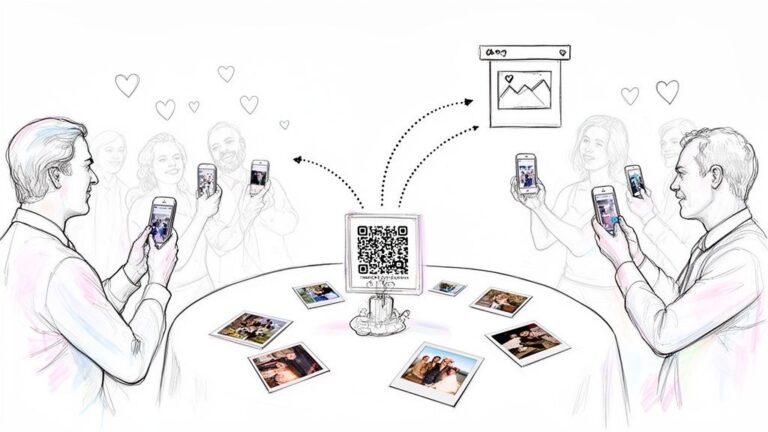
This simple visual breaks down the two most popular paths—a QR code for organized collection versus a hashtag for social sharing.

Here's the bottom line: QR codes are built for actually collecting photos into a private gallery you control. Hashtags are more for creating a public, social media buzz. They serve two totally different purposes.
To help you weigh the options, here's a quick side-by-side comparison of the most common methods.
Comparing Wedding Guest Photo Sharing Methods
| Method | Ease of Use (Guests) | Privacy Control | Photo Quality | Best For |
|---|---|---|---|---|
| QR Code Service | Excellent (point and shoot) | High (private gallery) | High (full resolution) | Couples wanting maximum participation with minimal fuss. |
| Dedicated App | Fair (requires download) | High (private gallery) | High (full resolution) | Tech-savvy crowds and couples wanting extra features like live slideshows. |
| Shared Cloud Drive | Poor (clunky interface) | Medium (link can be shared) | High (full resolution) | DIY-savvy couples on a tight budget who prioritize function over form. |
| Hashtag | Good (if on social media) | None (public by default) | Low (compressed by platform) | Creating social media buzz; best used as a supplement, not the main tool. |
Each method has its place, but as you can see, they offer very different experiences for both you and your guests. Let's dig a little deeper into each one.
QR Codes: The Gold Standard for Simplicity
Honestly, QR codes have pretty much won the wedding photo-sharing game, and for good reason. They are dead simple. A guest sees the code, points their phone's camera at it, taps the link, and is instantly in your private gallery, ready to upload. No app to download, no password to remember, no fuss.
The real magic here is capturing photos in the moment. Instead of your friends promising to "send you the good ones later" (spoiler: they often forget), they can upload that hilarious dance-off photo in less than 30 seconds.
- Pros: Incredibly easy for guests, zero downloads needed, leads to high participation, and keeps all your photos neatly organized in one private place.
- Cons: You’ll need to use a service (some are free, some paid), and you have to remember to place the QR codes in strategic spots around your venue.
Dedicated Wedding Photo Sharing Apps
If you're looking for an all-in-one solution with more bells and whistles, a dedicated app can be a fantastic choice. Many of them offer cool extras like live slideshows that display guest photos in real-time, digital guestbooks, and even video messaging.
The catch? The download. Asking every single guest to find, download, and set up an app is a big ask. Your younger, tech-loving friends will probably be fine, but you risk losing participation from anyone less comfortable with new apps. If this route sounds interesting, it’s worth checking out a detailed breakdown of the best wedding photo sharing apps to see if the extra features are worth the extra step for your guests.
My golden rule: The best system is the one your guests will actually use. Simplicity almost always beats a long list of features. If it takes more than two taps to share a photo, you're going to lose people.
Shared Cloud Drives (Google Drive, Dropbox, etc.)
At first glance, setting up a shared folder on a platform like Google Drive or Dropbox seems like a no-brainer. It's free, and you can just turn the shareable link into a QR code. Done, right?
Not so fast. The main issue here is the user experience—or lack thereof. These platforms are built for storing spreadsheets and documents, not for beautifully displaying wedding photos. The interface is often clunky for uploading on a phone, and guests may even be asked to sign in, which is a major barrier. It works in a pinch, but it completely lacks the special, celebratory feel of a tool designed for weddings.
The Classic Hashtag
Let's be clear: hashtags are great for building excitement on social media. They're fun, free, and a wonderful way for people to see posts on Instagram. #HappilyEverAfterSmith
But as a primary tool for collecting photos? They fall short. The photos are public, they get compressed (ruining the quality for printing), and you'll completely miss out on pictures from guests who aren't on social media, have private accounts, or just forget to add the tag.
Think of your hashtag as the fun, public-facing part of your wedding story, but rely on something like a QR code service to be your private, high-quality photo workhorse.
You've set up a brilliant system for wedding guest photo sharing, which is a great first step. But the real challenge? Getting your guests to actually use it.
The secret isn't about having the slickest tech. It's about smart, friendly communication that makes sharing photos feel like a fun part of the celebration itself.
Let's be honest, many couples worry their guests just won't bother. But I've found that people want to share the great photos they're taking. The problem is usually that they don't know how, or they forget in the whirlwind of the day. A single sign by the door is easy to miss. To get great results, you need to put on your marketer hat and place your prompts in all the right spots.
Where to Put Your Signs for Maximum Impact
Think about the natural flow of your wedding day. Where will your guests' eyes land? The idea is to have your QR code or link pop up in multiple places so it becomes a gentle, helpful reminder, not an annoying ad. The more touchpoints, the more photos you'll get.
Here are a few tried-and-true spots that always work:
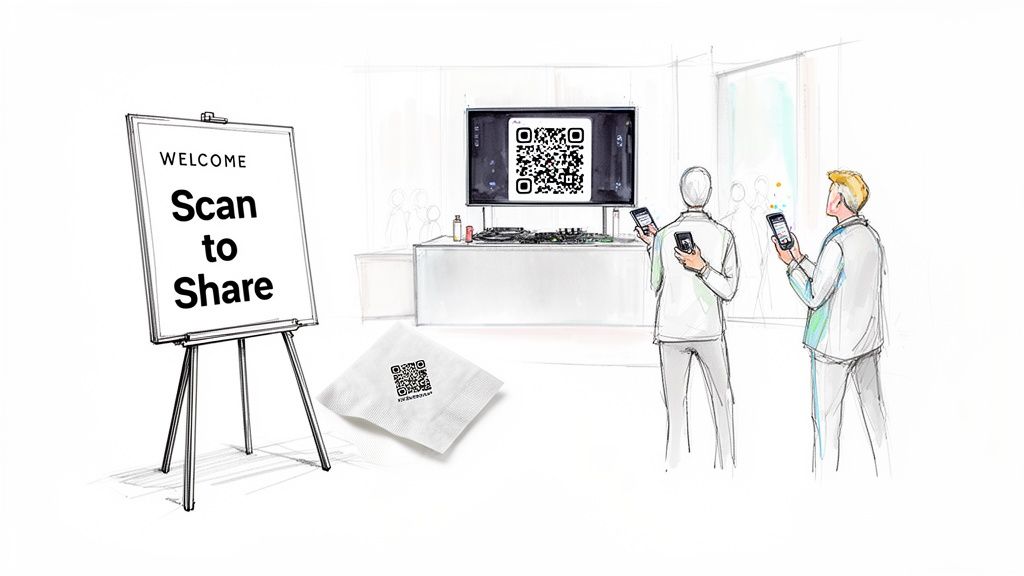
- The Welcome Sign: This is your first impression. A beautifully designed sign with a QR code right at the entrance sets the expectation from the moment guests arrive.
- On the Tables: This is probably the most effective trick in the book. A small, elegant card at each place setting or as part of the centerpiece means the prompt is right there when guests are sitting, chatting, and have their phones out.
- At the Bar: People always congregate at the bar. A framed sign here is a perfect, casual reminder they can scan while waiting for their drink.
- Near the Guest Book: When signing the guest book, people are already in a "contributing" mood. It's the perfect time to also ask them to contribute their photos.
I once saw a couple put a small, chic QR code on the back of their cocktail napkins. It was such a clever, subtle touch. People discovered it throughout the night, and it led to an incredible collection of late-night dance floor pictures they would have otherwise completely missed.
How to Ask: Crafting the Perfect Invitation
The words you use matter just as much as where you put them. Steer clear of generic phrases like "Access Photo Platform." You want the language to be as warm and personal as your wedding. Think simple, friendly, and direct.
Here are a few wording ideas I love:
- "Scan to Share the Love! Help us capture every moment."
- "Caught a Great Moment? Share it with us here!"
- "Help Us Build Our Album. Scan to add your photos and videos."
- "See Our Day Through Your Eyes. Your photos are a gift to us!"
Make the instructions foolproof. Adding a simple "1. Open your camera. 2. Point it here. 3. Share your memories!" can make a world of difference for guests who aren't as tech-savvy. For more design and wording ideas, check out our deep dive into using a QR code for an event.
When to Remind Them: Timing Your Announcements
Signage is your silent workhorse, but a well-timed verbal cue from a real person can be a game-changer. A quick, friendly announcement cuts through the noise and gets everyone on the same page instantly. Just coordinate with your MC, DJ, or even a confident member of your wedding party.
Here's a simple timeline for getting the word out:
- Before the Big Day: Drop a little note on your wedding website or in an email reminder. It plants the seed early and lets people know what to expect.
- During Cocktail Hour: This is the perfect time for the MC to make a quick welcome announcement. Something like, "Welcome, everyone! As you're mingling, you'll see QR codes on the tables and at the bar. The happy couple would love for you to scan them and share any photos you take tonight!"
- After the Speeches: The formal part of the evening is over, and everyone is feeling relaxed. This is a prime opportunity for the maid of honor or best man to add a quick reminder at the end of their toast. A simple, "And don't forget to upload your photos!" works wonders.
By combining clever placement, warm messaging, and a few timely announcements, you make it incredibly easy and fun for everyone to join in. This multi-layered approach is the key to ensuring your wedding guest photo sharing is a huge success, leaving you with a treasure trove of candid moments that tell the true story of your day.
Keeping Your Wedding Photos Private and Secure
In a world built for instant sharing, hitting pause to think about the privacy of your wedding photos is one of the smartest moves you can make. That public hashtag might create a fun, visible buzz, but it also throws the doors wide open. Suddenly, your personal memories—and photos of your family and friends—are out there for anyone to see, download, and use.
This is where a dedicated, private gallery really shines.
Choosing a wedding guest photo sharing method that puts security first gives you back control. Instead of your photos scattering across public feeds, they’re gathered in one secure, password-protected spot. Only the people you personally invite can see and add to the collection. This simple difference is what keeps your memories from becoming public domain.
Why a Private Gallery Beats a Public Hashtag
The difference between a private system and a public hashtag is night and day. A hashtag is designed for public discovery, meaning it offers exactly zero privacy control. Your photos end up vulnerable, mixed in with a sea of unrelated posts.
A private gallery, on the other hand, is like a digital velvet rope.
- You control the guest list: Only people with your unique link or password can get in.
- Everything stays in one place: No more hunting across Instagram, Facebook, and who-knows-where-else to find all your pictures.
- The quality is preserved: Images are saved in their original, high-resolution format, which is perfect for printing. Social media platforms crush photos, leaving you with blurry, pixelated versions.
A controlled environment like this ensures the photos from your wedding remain a cherished collection for you and your loved ones, not just more content for the internet. It shifts the experience from a public spectacle to an intimate, shared memory book.
Guiding Your Guests on Social Media Sharing
It’s completely normal to want to be the first one to share photos of your own wedding. The trick is to communicate your wishes clearly and kindly, so guests feel included, not restricted. You aren't banning social media; you're just asking them to share with you first.
You’d be surprised how happy most guests are to follow your lead once they know what you'd prefer. A gentle nudge is all it takes.
A simple sign near your guest book or on the tables can work wonders. Try something like this: "We'd love for you to share your photos with us in our private album before posting them online. Help us see our day through your eyes first!"
This approach lets you curate how and when your wedding hits the wider world. You get to post your favorite professional shots first, setting the tone for your big announcement. By encouraging guests to upload to your private wedding guest photo sharing gallery, you really get the best of both worlds: a complete, candid collection of moments and total control over your public image. It's a respectful way to protect your privacy while still celebrating with everyone.
Turning Your Guest Photos Into Lasting Memories
The confetti has settled, the last song has played, and you're officially married. But the fun isn't over yet. Now you get to relive the entire day through the eyes of your guests, thanks to the treasure trove of photos you've collected. What do you do with the hundreds—maybe even thousands—of candid moments captured by your loved ones?
This collection is so much more than a messy folder of digital files; it’s a vibrant, multi-angle story of your celebration. The next step is to transform that beautiful chaos into something you can hold onto forever. It’s time to curate, create, and cherish.
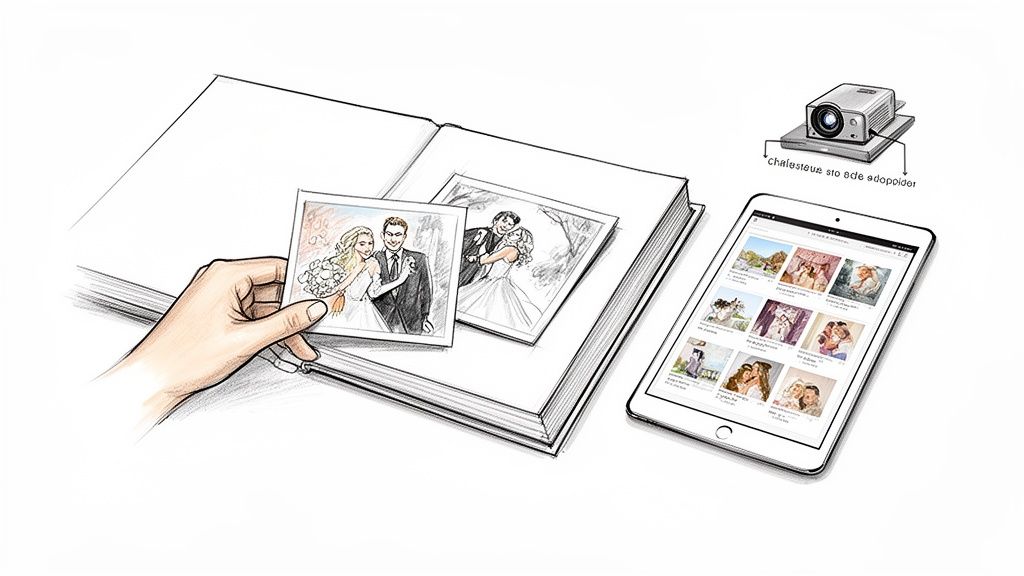
From Digital Gallery to Cherished Album
Your first mission: sift through the collection and bring some order to it. This might sound like a huge task, but trust me, it’s one of the best parts of the post-wedding wind-down. Pour a drink, sit down with your partner, and get ready to laugh, cry, and see all the little things you completely missed on the day.
As you browse, start creating curated folders. Don't just stick to a chronological timeline; grouping images by theme can tell a much richer story.
- "Dance Floor Hits": A collection dedicated to the wild, hilarious, and high-energy moments from the reception.
- "Ceremony Candids": The sweet, emotional, and sometimes funny reactions your pro photographer might have missed during the vows.
- "The Little Details": Shots of your decor, the cake, the flowers, and all those other elements you spent months planning.
- "Guest Selfies": A fun folder capturing all your favorite people having the time of their lives.
Pro Tip: Don't get hung up on perfection. The real magic of guest photos is their authenticity. A slightly blurry, action-packed dance photo often holds way more emotion than a perfectly posed shot. Embrace the candid nature of it all.
Creating Your Printed Photo Book
With your photos organized, it’s time to bring them into the real world. A printed photo book is the ultimate keepsake—a physical album that tells the story of your day through the eyes of everyone you love. Think of it as the perfect companion piece to your formal wedding album.
Many couples allocate around 10% of their wedding budget to professional photography, and a guest-sourced photo book is an amazing, budget-friendly way to get hundreds of extra moments documented. For a deeper dive into photography trends, check out the industry insights on Adorama.
Here’s a simple game plan for creating a book you’ll love:
- Download High-Resolution Images: First things first, make sure you're using a platform that saves photos in their original quality. Social media massively compresses images, making them blurry and unsuitable for print. A service like Wishgram lets you download every submission in full resolution with just one click.
- Select Your Favorites: You can't include every photo. Pick the ones that truly capture the energy and feeling of the day. A good mix of posed shots, candid moments, and detail photos works best.
- Use a Simple Design: You don't need to be a graphic designer. Many photo-sharing services have built-in tools to create a beautiful e-book or a printed hardcover book directly from your gallery. Wishgram, for example, makes this super easy and saves you from wrestling with complicated software.
- Incorporate Guest Messages: If your collection tool allowed guests to add messages alongside their photos, sprinkle these throughout the book. A heartfelt note next to a picture adds a wonderful layer of context and emotion.
Beyond the Book: Other Creative Keepsakes
A photo book is a classic for a reason, but don't stop there! Your guest photo collection is a goldmine for creating all sorts of cherished memories.
Consider these other fun ideas:
- Create a Digital Slideshow: Set your favorite photos to your wedding song for a moving digital memento. It’s perfect for sharing with family who couldn't be there or for pulling up on your anniversary each year.
- Print Your Favorites: Pick a handful of standout photos to frame and display around your home. These candid shots often have a much more relaxed and genuine vibe than formal portraits.
- Make Custom Thank You Cards: Using a hilarious group shot from the dance floor on your thank you cards is a personal touch your guests will absolutely love and remember.
The whole point is to make sure these precious memories don't end up forgotten on a hard drive somewhere. By curating, printing, and sharing the photos from your wedding guest photo sharing effort, you create a living legacy of the love and laughter that defined your special day.
Still Have a Few Questions? Let's Clear Them Up
Even with the best plan, it’s totally normal to have some lingering questions. Setting up a wedding guest photo sharing system is a relatively new piece of the wedding puzzle, so let's walk through the most common concerns couples have.
Think of it this way: a little prep work upfront solves almost every potential hiccup. From making sure your grandparents can participate to getting photos you’ll actually want to print, there are simple, real-world solutions for everything.
"Will My Guests Actually Use This?"
This is the big one, isn't it? The answer is a huge "yes," but with one crucial condition: it has to be ridiculously easy. The more steps you add, the fewer photos you'll get. That's why any system requiring guests to download an app is usually a non-starter.
The secret sauce is a simple QR code that takes them straight to a web page where they can upload. No login, no app store, just point-and-shoot.
To really get people involved, sprinkle that QR code everywhere. Don’t just stick it on a welcome sign and call it a day. Put it on every table, at the bar, and maybe even have the DJ flash it on a screen.
A quick, friendly announcement from your MC or DJ can also make a world of difference.
All it takes is a simple prompt: "Hey everyone, the newlyweds would love to see the wedding through your eyes! Just scan the code on your table to share your favorite photos from tonight." You’d be surprised how many people will pull out their phones right then and there.
"What About Older Guests Who Aren't Tech-Savvy?"
A completely valid concern. But here’s the good news: thanks to years of restaurant menus, QR codes are surprisingly familiar to almost everyone now. Still, for anyone who might struggle, you can make it even easier.
Always include a short, simple URL right below the QR code (like "ourwedding.pics"). This gives people who prefer typing a straightforward alternative.
Another great trick is to deputize a "Photo Helper." Ask a tech-friendly younger cousin or a member of the wedding party to be the go-to person for anyone needing a hand. It’s a small job that makes a big impact. Even simple, numbered instructions like "1. Open Camera. 2. Point at Code. 3. Share Your Memory!" can make the whole process feel less daunting.
"How Can I Get Good-Quality Photos?"
Let's be clear: guest photos won't replace your professional photographer. But you can absolutely nudge your guests toward taking better, more interesting pictures. First, the technical part: pick a platform that saves images in their original, high resolution. When you rely on text messages or social media, the platforms crush the photo quality to save data, which is why they look so grainy when you try to print them.
Next, the fun part: give your guests a little creative direction! Turn it into a game by adding a list of "photo missions" to your signs.
Here are a few ideas to get you started:
- Snap a pic of the best dancer on the floor.
- Take a selfie with someone you just met.
- Capture the funniest moment you see.
- Find the cutest couple (besides us!).
These prompts do more than just get you photos; they encourage guests to look for candid, wonderful moments. You'll end up with a collection that’s so much more personal and interesting than a hundred posed group shots.
"Can I Ask Guests Not to Post on Social Media?"
Absolutely. It’s your day, your story to tell. Many couples want to be the first ones to post a photo, and that's a perfectly reasonable wish. The key is to communicate it clearly and kindly.
For the ceremony, an "unplugged" announcement is pretty standard. A tasteful sign or a quick word from your officiant asking guests to be fully present is all you need.
For the reception, you can guide people without being demanding. Try a friendly note on your QR code sign: "We can't wait to see all your photos! Please add them to our private gallery before sharing them online." It’s a gentle nudge that lets you collect everything first. Most people are happy to respect your wishes—they just need to know what they are!
Ready to create a beautiful, private gallery filled with memories from all your guests? With Wishgram, you can set up a seamless wedding guest photo sharing experience in minutes using a simple QR code—no app downloads required. Collect every photo, video, and heartfelt message in one place and turn them into a stunning digital or printed photo book.
Start building your lasting memories today at https://wishgram.app.