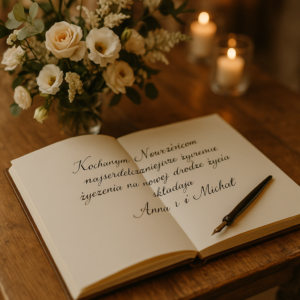
A wedding video guest book does something a paper signature never can: it captures the sparkle in someone’s eye, the crackle of laughter, the catch in a voice. You’ll find yourself pressing play years later, transported back to that moment.
Why Choose A Wedding Video Guest Book
Couples are moving beyond pen and paper because nothing beats an on-camera conversation for authenticity. Rather than scrawled notes, you get genuine stories—shared face-to-face with the camera.
- Emotional Depth: Seeing expressions and hearing tone adds layers text can’t convey.
- Private Interviews: Each message feels like a one-on-one chat with someone you love.
- Easy Sharing: Digital galleries and social feeds let you spread the joy instantly.
Real Adoption Trends
It’s not just a nice idea—video guest books are popping up at more and more weddings. Vendors report 415 units sold in a month for audio-guestbook devices alone, proving couples crave multimedia keepsakes. Discover more insights about video guestbook sales here.
Guests feel seen when they speak their stories on camera.
A few well-chosen prompts can turn even the shyest guest into a storyteller. Try asking, “What’s your favorite memory with the couple?” and watch nostalgic anecdotes flow.
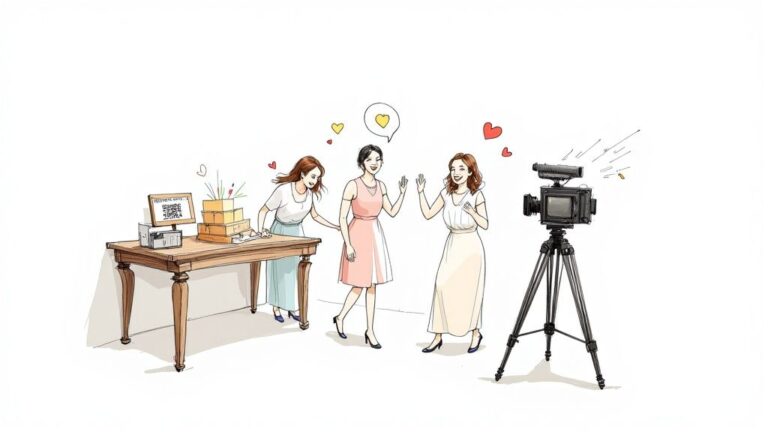
- A dedicated recording station at a busy reception keeps lines moving.
- During cocktail hour, guests relax away from the dance-floor noise.
Seamless Integration With Digital Platforms
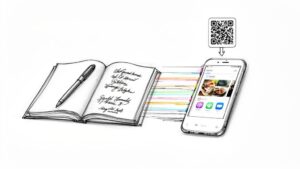
Tools like Wishgram rely on QR codes so everyone records on their phone—no downloads required. Once the party ends, you’ll have unlimited submissions and one-click downloads for editing.
- Scan a QR code on tables or signs to start recording immediately.
- All videos upload straight to a shared gallery for easy review.
This multimedia keepsake becomes the highlight of your wedding story—an heirloom you’ll revisit again and again.
Year-round access means those laughs and insights stay alive long after the reception ends. Share your favorite clips at anniversaries or family reunions to relive the magic.
Choosing a wedding video guest book ensures your love story remains in vivid detail.
Planning Your Wedding Video Guest Book Setup
Choosing the ideal spot for your video guest book is all about balance. You want a place that feels inviting but isn’t swamped with foot traffic.
A corner near the cocktail tables often hits the sweet spot—guests can slip in for a quick recording without getting stuck in a crowd. And remember, busy patterns on walls or furnishings distract more than they add charm. Opt for soft, neutral backdrops that keep focus on the heartfelt messages.
Lighting can make or break your videos. Adjustable LED panels are a game-changer because they banish harsh shadows and keep skin tones warm. Aim to position your lights at 45-degree angles; it’s a simple trick that flatters every face.
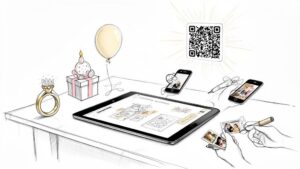
Reliable uploads are non-negotiable. A stable Wi-Fi hotspot or wired Ethernet connection ensures every clip lands safely without frustrating delays. And when you add easy-to-scan QR codes or short URLs, guests won’t hesitate to jump in with their smartphones.
“When we made scanning instant, participation jumped by over 30%,” one newlywed couple shared.
Below is an infographic illustrating each phase of a wedding video guest book flow.

This diagram shows how Adoption leads to Engagement and ultimately becomes a timeless Keepsake.
Most setups involve these essentials:
- A high-resolution camera or smartphone perched on a sturdy tripod.
- A simple backdrop or a branded sign inviting guests to record.
- A reliable network point to avoid upload hiccups.
- Compact QR code cards strategically placed on tables or the bar.
Initial Setup Process
Before the big day, run a quick dry run to catch any surprises early. Invite a few friends to record test clips under real-time conditions.
Work from a shortlist covering power outlets, memory cards, clip length limits, and where the files will land. This little rehearsal can save you from scrambling through technical glitches once guests arrive.
Finally, position the station where people naturally flow—close enough to bar and lounge areas, but away from booming speakers. The result? Guests feel drawn in, not spotlighted.
Comparison of Guest Book Options
To help you find the right fit, here’s a side-by-side look at three popular formats:
| Option | Engagement Level | Guest Access | Setup Complexity |
|---|---|---|---|
| Traditional Paper | Low | Handwritten only | Very Low |
| Digital Video Book | High | QR code & URLs | Medium |
| Hybrid Format | Very High | In-person & Remote | Medium-High |
Use this overview to weigh how interactive you want the experience to be against the effort you’re willing to invest in setup.
Final Adjustments
Hybrid and virtual guest lists are becoming the norm. Vendors now offer QR-based workflows to gather remote video messages, boosting participation effortlessly. For more insight on how video keepsakes drive engagement, learn more about wedding planning statistics on amraandelma.com.
If you’re keen on seamless scanning, don’t miss our detailed guide on creating wedding QR codes: Check out our guide on generating wedding QR codes.
A well-polished station greets guests with clear signage and simple, friendly prompts. Do one last check of audio levels and framing just as people start to arrive.
Having a dedicated helper nearby makes a huge difference—whether it’s coaxing shy relatives into sharing memories or troubleshooting a tech hiccup. During cocktail hour, take a moment to skim through recordings. You’ll spot any glitches early and keep the momentum going without a hitch.
Then stand back and enjoy the show, knowing every treasured message is captured beautifully and stored securely.
Crafting Prompts To Boost Guest Engagement
A well-placed question can ease jitters and unlock genuine moments. People open up when a prompt feels playful and personal.
For instance, asking “Share your wildest dance move” often sparks laughter and gets the camera rolling.
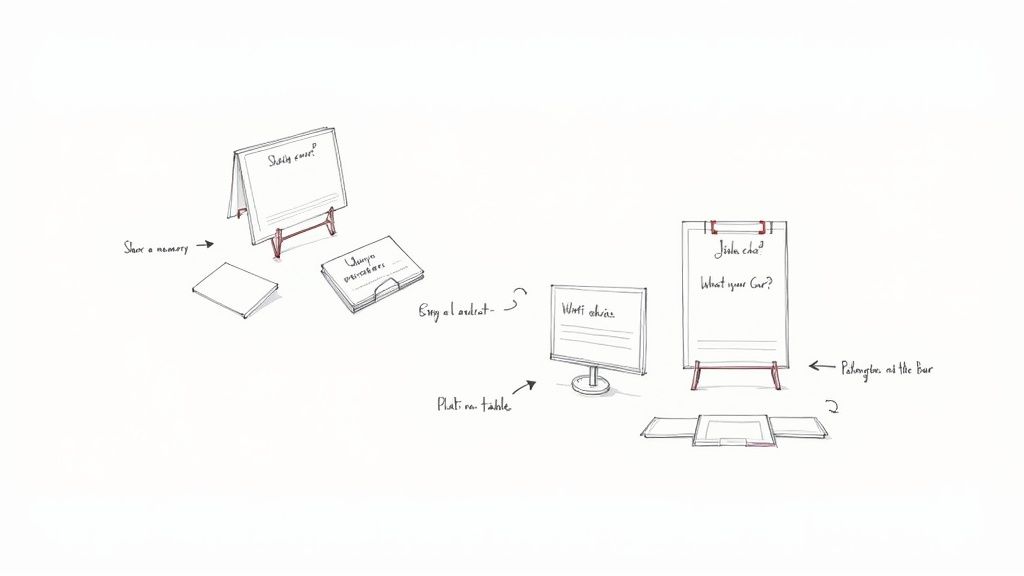
Printable Prompt Card Bundles
Couples love matching their cards to the wedding’s vibe. From rustic kraft stock to sleek acrylic stands, the options are endless.
- Vintage film set: guests might “Recreate a scene from your favorite movie.”
- Floral motif cards: ask “What advice blooms best for our future?”
- Travel-inspired deck: invite “Where do you dream of going on our honeymoon?”
These bundles can be printed at home or by a pro, then scaled up or down based on guest count. Discover how to craft mobile-friendly prompts in our guide on wedding phone guest books at Wishgram.
Strategic Placement
Where you tuck those cards matters. Place them where guests naturally gravitate, and participation feels spontaneous.
- Cocktail tables with clear signage
- Cozy lounge nooks under string lights
- A mini booth beside the dessert display
“We tucked prompt cards by the champagne fountain and saw a 40% boost in recordings,” one newlywed couple shared.
Developing Prompt Variations
Keep the energy high by mixing up your question types:
- Advice Prompts, e.g., “Your best tip for a happy marriage.”
- Memory Prompts, such as “Describe our funniest college moment.”
- Performance Prompts, for example “Show us your signature dance move.”
Rotating through these styles ensures every guest finds something that sparks their creativity.
Customization Tips
A cohesive look makes your station feel intentional. Match card hues to your invitation palette and use simple touches to guide guests:
- Use a label maker for consistent typography
- Add small icons or stickers to signal each prompt type
- Display cards on mini easels or clipboards for easy access
Thoughtful details transform a stack of cards into a polished guest book experience.
Real Couple Success Stories
On a misty afternoon by Lake Champlain, the Harrisons printed their prompts on translucent vellum. The result felt casual and organic:
- College friends reenacted a legendary dorm-room prank
- Grandparents shared tips on growing old together
Those spontaneous clips became the heart of their video guest book.
Printable PDF And DIY
You can grab a free PDF pack and tweak fonts and colors in just minutes.
Going the DIY route lets you match any theme, from boho chic to black-tie elegance.
With engaging prompts and smart placement, your video guest book will capture the true spirit of your celebration.
Capturing High-Quality Video Messages
A lively guest book video needs crisp sound and a flattering look for every take. Think of it as setting the stage for your guests to shine on camera.
Position your camera so the lens sits at eye level, about 4 Feet from where people will stand. This distance avoids odd angles and keeps faces looking natural.
The screenshot below shows how a DSLR on a sturdy tripod pairs with a wireless lapel mic and a pair of softbox lights to achieve that pro feel.
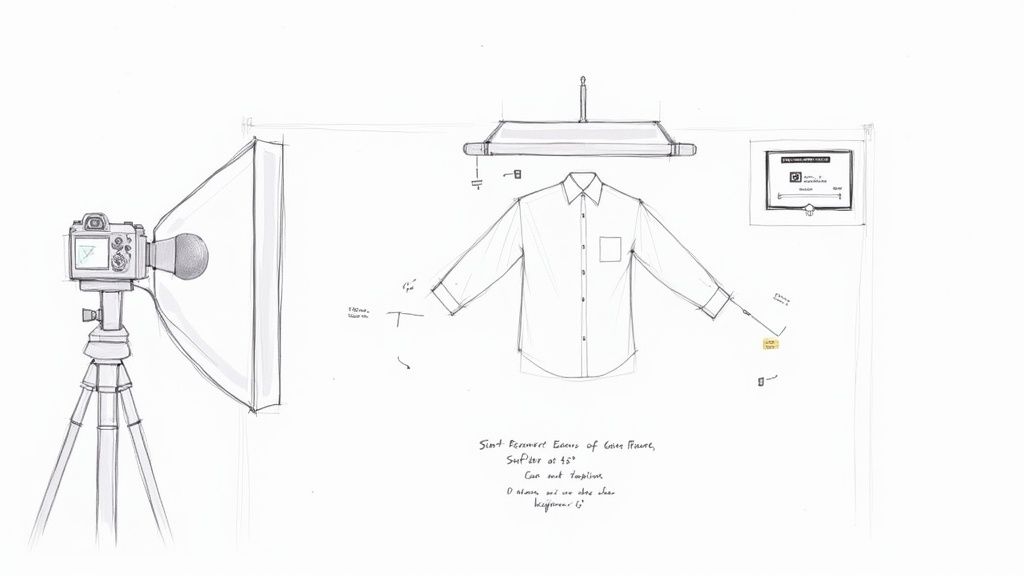
You’ll notice the camera aligns with the subject’s face, lapel mics clip on discreetly, and lights sit at 45 Degrees to create those signature catchlights in the eyes.
Optimizing Camera Placement
Start by mapping out a shot list to keep your angles consistent:
- Medium close-up for guest intros
- Two-shots when couples or families step in
- Cutaways for genuine reactions—laughter, applause, or cheers
In tests, wireless lapel microphones cut background noise by 60%. Attach one to your main speaker and stash a spare in case of interference.
Framing also means leaving a bit of headroom and choosing a background that doesn’t compete for attention. A plain curtain or subtle drapes do wonders.
“I always tell couples to test angles with a stand-in,” says a seasoned event videographer. “It saves you from surprises once the party kicks off.”
Add on-screen cues—like a countdown timer or a friendly prompt—so guests know when to start. That way, they’re free to focus on sharing stories, not wrestling with buttons.
Lighting And Sound Tips
Soft, even lighting keeps shadows at bay and highlights every smile. LED panels with adjustable color temperature help you tune in the right warmth.
A Three-Light Setup usually involves:
- Key Light to brighten faces
- Fill Light to soften shadows
- Backlight to separate the subject from the background
If the shot looks too dark from behind, do a quick “grab test” by catching someone’s reflection. Too much backlight? Slip in a reflector or shift your fill light.
To keep things clear, follow these quick guidelines:
- Aim softboxes at 45-Degree angles
- Layer diffusion panels to mellow harsh beams
- Wrap noisy appliances in sound blankets
A shotgun mic mounted just out of frame also picks up voices even when the music volume is high. Place it above the shot and tilt it down to focus on speech.
Pro Tip: A minimal tech footprint invites more guests. Tangled cables can intimidate those who aren’t tech savvy.
Many pros station a discreet assistant nearby to swap batteries, monitor levels, and reboot recordings without missing a beat.
A final walk-through before doors open—tucking away cables and topping off mic batteries—ensures your video booth runs smoothly, whether it’s Wishgram or another platform.
Moderating And Editing Guest Videos
Once the last dance ends, you’re left with hours of heartfelt messages, goofy outtakes, and genuine toasts. The key is to dive in with a simple plan: tag, sort, and streamline before you ever touch the timeline.
Start by labeling your clips—Advice, Laughter, Toasts—so you can zero in on the moments that matter.
- Apply color codes in your folders to spot priority clips at a glance.
- Flag blurry takes or awkward silences immediately for fast deletion.
- Rename files with guest names and timestamps to map their best lines.
For instance, you might keep all the bubbly toast snippets in one subfolder and sweet hugs in another. Make a note of emotional highs so those authentic smiles shine through in your final cut.
Organizing And Tagging Your Clips
A tidy folder structure can slash editing time by nearly 40%.
Tools like DaVinci Resolve or Adobe Premiere Pro let you apply custom labels right inside the app. And if you’re juggling cups of coffee alongside your keyboard, voice-activated assistants can tag clips hands-free.
“Editor workflows that start with clear tagging save up to 2 hours per day.”
Once everything’s tagged, trim duplicates down to the best 20-second takes. That early cut stops bloat before it sneaks into your timeline and keeps your guest book edit crisp. Finally, balance authenticity with polished transitions and consistent audio levels. Browse royalty-free music libraries for background tracks that support voices rather than drown them out.
Editing Workflow And Tools
Map out a simple timeline to track each stage: rough cut, fine cut, color grade, subtitles, and export.
You could dedicate Monday to assembly, Tuesday to titles and audio, and Wednesday to polish. Collaborating via cloud platforms like Frame.io keeps everyone on the same page—and switching roles between cutting and reviewing helps catch fresh details.
Use a workflow like this:
- Rough Cut – Assemble key messages.
- Fine Cut – Tighten pacing, remove gaps.
- Color Grade – Unify the look.
- Final Export – Add subtitles and licensed audio.
Aim for an MP4 at 1080p so your video looks great on any screen. If you want a tangible keepsake, order USB drives or a bound e-book complete with embedded QR codes. These little extras turn your digital guest book into a showpiece.
Keyboard shortcuts are your secret weapon when you’re under the gun. Power users even customize hotkeys for their most-used commands. And whenever possible, automate tedious tasks—let a voice assistant rename and sort clips while you stay in the creative zone.
When multiple editors join the party, set clear naming conventions and shared style sheets. Gather team feedback with a final group watch-through to ensure everyone agrees on pacing, fades, and audio levels.
| Software | Free Version | Key Feature |
|---|---|---|
| DaVinci Resolve | Yes | Advanced color grading |
| Adobe Premiere | No | Seamless cloud collaboration |
| Final Cut Pro | No | Smooth Mac integration |
With feedback applied, give the project a fresh-eyed review. Small tweaks to pacing or audio fades are what elevate a good edit into an unforgettable keepsake. Deliver your wedding video guest book alongside a simple playback guide—and watch heartfelt moments live on, again and again.
Exporting Keepsakes And Sharing Memories
Your edited wedding video guest book is ready for its moment in the spotlight. A mix of social media clips, USB distributions, and digital albums makes it easy for every guest to relive the day in the format they love.
Choosing Export Formats
When you need quick social clips, an MP4 file at 1080p with H.264 compression uploads without a hitch. For USB drives or projector screenings, opt for uncompressed MOV or a high-bitrate MP4 so every detail stays sharp. If you plan to embed the video on a personal website, WebM or OGV formats often deliver smoother playback across browsers.
| Export Type | File Format | Resolution | Use Case |
|---|---|---|---|
| Social Snippets | MP4 | 1080p | Instagram, Facebook Stories |
| Full Ceremony | MOV | 4K | USB keepsakes, projector view |
| Online Gallery | WebM | 720p | Embedded on personal website |
Comparing Physical Products
Digital files are fantastic, but a printed photo book brings still moments to life alongside video highlights. Softcover editions start at $30, while a 20-page hardcover typically runs $120. Embedding QR codes next to photos means a quick scan transports anyone straight to the matching video clip.
Key printing considerations:
- Paper weight and finish options that stand the test of time
- Cover details—metallic accents or matte lamination
- Turnarounds from three business days up to two weeks
You might be interested in our deep dive on capturing guest photos with Wishgram’s mobile memory book features: Learn more about wedding guest photo apps in our article at https://wishgram.app/en/blog/wedding-guest-photo-app/
Sharing Sneak-Peek Clips
A short teaser can spark excitement long before the full release. Aim for a 30-second montage that features the funniest lines and most heartfelt wishes.
Sending a preview clip can boost final video views by over 50%, according to event planners.
Here’s how to make it happen:
- Craft a 20–30 second highlight reel showcasing standout messages
- Send it in thank-you emails a week after the wedding
- Provide clear directions on where guests can watch the full guest book
Lock down those memories with privacy settings. Platforms like Wishgram let you password-protect galleries and disable downloads, so only invited friends and family can view the videos.
Finalizing Your Keepsake
When everything’s polished, order custom USB drives or a hardcover video book complete with engraved labels and elegantly coordinated packaging. Keep your digital masters in a secure cloud archive, giving loved ones a time capsule to revisit for years.
A thoughtfully designed unboxing experience turns the arrival into its own celebration—encouraging repeat views and reigniting the joy of those messages.
Frequently Asked Questions
Gear Essentials
Setting up a sleek wedding video guest book doesn’t require a film crew. A DSLR or modern smartphone, a sturdy tripod, and a wireless lapel microphone are enough to capture crisp footage and clear audio.
To keep things fuss-free, hand out QR code cards with a concise prompt. Guests can scan and hit record in under 30 seconds, ensuring heartfelt messages flow without tech hiccups.
- DSLR or smartphone shooting 1080p
- Stable tripod for steady framing
- Wireless lapel mic to minimize background noise
- Printed QR code cards or short URLs for quick access
Essential Tips And Tools
Deciding on a final video format? Export as MP4 at 1080p for easy sharing on social media or USB drives. If you want a master copy, a high-bitrate MOV preserves every detail.
Privacy safeguards matter. Host clips behind a password or use private links—disable downloads to keep messages under wraps.
“We locked our gallery behind a password and still saw 90% of guests view their clips,” one planner recalled.
| Common Concern | Tried-And-True Solution |
|---|---|
| Audio interference | Lapel or shotgun microphones |
| Large file sizes | Compress to MP4 with H.264 codec |
| Low participation | Place prompts in multiple areas |
| Remote contributions | Share the link in digital invites |
Budget-Friendly Rentals
Working with a modest budget? Local camera shops often rent DSLR kits and mics for $50–$100 a day. For a DIY twist, set up a simple tablet station that uploads clips automatically to the cloud.
Smooth Workflow
A smooth process keeps everyone relaxed. Run a test clip station a few days before the event, designate a tech-savvy friend to guide guests, and block out dedicated editing time afterward. This way, you’ll stay on schedule and stress-free.
Ready to capture every congratulatory message? Try Wishgram for your wedding video guest book.