Let’s be honest, trying to collect wedding photos from guests after the big day is like herding cats. You end up chasing down dozens of people, scrolling through endless group chats, and begging for pictures that, more often than not, never materialize.
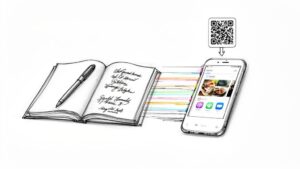
A wedding QR code completely changes the game. It’s a simple, scannable image that instantly connects your guests’ phones to a private digital gallery. No apps to download, no confusing hashtags to remember—just point, scan, and upload.
Why a Wedding QR Code Is an Absolute Must-Have
Imagine waking up the morning after your wedding, scrolling through your phone, and finding a complete, candid story of your celebration already waiting for you. That’s the magic a wedding QR code delivers. It creates a single, central hub for every photo, video, and heartfelt message from your special day.
While your professional photographer is busy capturing the big, picture-perfect moments, your guests are snapping the beautifully imperfect ones. The QR code makes it incredibly easy for them to share those moments in real-time, giving you a full, 360-degree view of your wedding.
Don’t Miss a Single Candid Moment
Your guests see things your photographer can’t. They’re right there in the middle of the action, capturing moments that truly tell the story of your day.
Think about it:
- The emotional hug between college friends during cocktail hour.
- That hilarious dance-off that broke out after the cake was cut.
- The quiet, sweet laughter shared at each individual table.
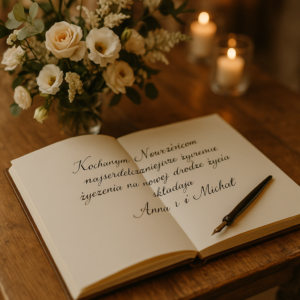
These are the golden moments that add so much heart and personality to your wedding album. With a platform like Wishgram, guests can even record video messages, turning your photo gallery into a living, breathing digital guestbook filled with voices and well wishes.
The real win is seeing your wedding from a hundred different angles. It’s like experiencing the day all over again through the eyes of every person you love. That’s an emotional depth you just can’t get from posed shots alone.
A Modern, Seamless, and Expected Experience
Couples today are all about making their weddings smarter and simpler with technology, and photo sharing is a huge part of that. The data doesn’t lie: the use of QR codes on wedding stationery isn’t just a trend; it’s the new standard.
In fact, the use of QR codes on invitations and save-the-dates has shot up by 42% since 2021, with nearly half of all couples now using them. You can dive deeper into these trends in The Knot’s 2025 Real Engagements & Weddings Survey. This isn’t just about being modern; it’s about creating an interactive experience that feels completely natural and effortless for your guests.
Before we get into the “how-to,” let’s quickly break down why this is such a win-win for everyone involved.
| How a Wedding QR Code Benefits Everyone |
| :— | :— | :— |
| Feature | Benefit for You | Benefit for Guests |
| Instant Uploads | You get photos in real-time—no waiting weeks! | They can share photos instantly without any hassle. |
| Centralized Gallery | All your memories are neatly organized in one secure place. | No need to text or email photos to anyone after the wedding. |
| No App Required | You don’t have to ask guests to download a new app. | They just use their phone’s camera—it couldn’t be easier. |
| Multimedia Support | Collect photos, videos, and even written messages. | Guests can share their favorite moments in whatever format they prefer. |
| Privacy Control | You control who sees the photos and who can download them. | Their photos are shared in a private space, not on public social media. |
Simply put, a QR code makes the whole process of sharing and collecting memories incredibly simple, fun, and immediate for everyone.
How to Create Your Personalized Photo Hub
Alright, let’s get your digital guest book and photo hub set up. Don’t worry, this is the fun part, and it’s way easier than you think. The goal here isn’t just to stick a tech tool into your wedding; it’s to create a space that feels like a genuine part of your celebration. Using a platform like Wishgram is brilliant for this because it keeps things simple and lets you add those personal touches that make all the difference.
Think of your event page as the heart of the operation. This is the digital gallery where every single photo, video, and heartfelt message from your guests will land. A little bit of thought upfront goes a long way in making it a place your guests actually want to contribute to.
Designing Your Event Page
First things first: your event page needs to feel like you. A generic, cookie-cutter page is a surefire way to get half-hearted participation. You want guests to land on the page and immediately know they’re in the right place.
Here’s how to make it match your wedding’s vibe:
- Splash on Your Colors: Your wedding has a color palette, so your digital space should too. Wishgram lets you tweak the colors of your message screen and gallery, making everything look seamless and intentional.
- Write a Welcome That’s Actually Welcoming: This is your first impression! Ditch the robotic “Upload photos here.” Instead, write something from the heart. How about: “Welcome to our memory lane! We can’t wait to see our wedding day through your eyes. Please share your favorite photos, videos, and well-wishes here!” It’s so much more inviting.
- Claim Your URL: A custom URL is a small detail that makes a big impact. It’s much easier for guests to remember something like
wishgram.app/sarah-and-tomthan a random jumble of letters and numbers if they need to find it later.
Once you’ve got it set up, the experience for your guests is incredibly straightforward. They just scan, upload, and can immediately see their contribution alongside everyone else’s.
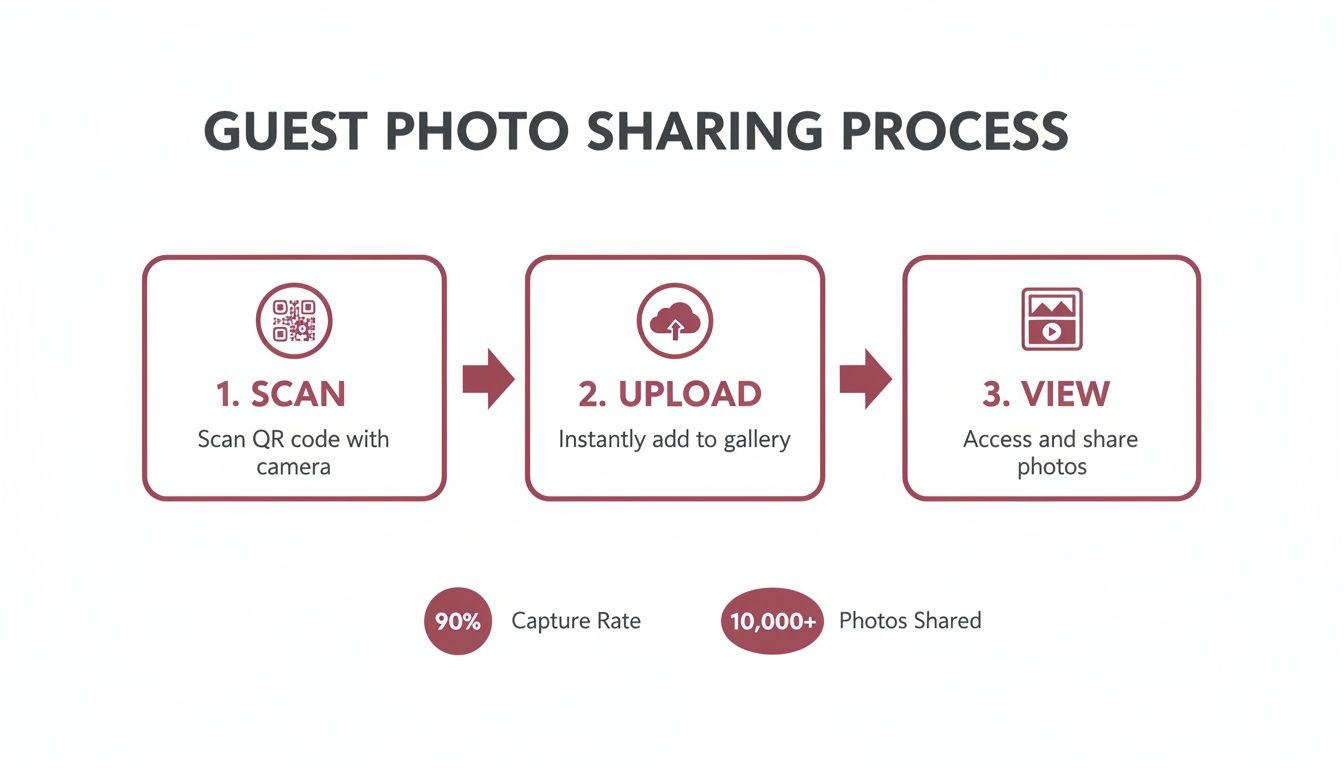
The beauty of a dedicated platform is that there’s no friction. Guests don’t need to download an app, create an account, or jump through hoops. It takes seconds, which means you get more photos.
Generating Your Unique QR Code
With your event page looking perfect, getting the actual QR code is the easiest part—literally just a click. This little code is the magic key that gives all your guests access to your private gallery.
Platforms like Wishgram do all the heavy lifting here. You won’t have to deal with any complicated settings or third-party generators. The system instantly creates a unique code that’s tied directly to the beautiful page you just designed. You can find out more about getting your own with this free QR code generator for weddings.
Pro Tip: Your QR code doesn’t have to be boring black and white! Most platforms let you customize its color. Match it to your invitations, your table runners, or your bridesmaid dresses. A pop of color makes the code look like a deliberate design element, not an afterthought, which definitely encourages more people to scan it.
By putting a little effort into creating a personalized, welcoming photo hub, you turn a simple tool into an engaging experience. Your guests will feel more connected and genuinely excited to share their moments when they see a space that truly reflects you as a couple. And that, right there, is the secret to collecting hundreds of amazing, candid memories.
Creative Ways to Display Your QR Code
So, you’ve created the perfect digital photo hub. Fantastic! But even the most beautiful setup is useless if your guests don’t actually see it or know how to use it. The real secret to a gallery overflowing with candid memories is strategic placement of your wedding QR code.
Think beyond a single sign at the entrance. You want to gently nudge your guests to share their snapshots throughout the entire event, from the first clink of champagne glasses to the last song on the dance floor. The goal is to make the QR code feel like a natural, intentional part of your celebration—not some corporate afterthought.
Look for high-traffic areas and those little moments of downtime where people are most likely to have their phones out. The bar is a classic example. Guests are relaxed, waiting for a drink, and much more likely to scan a code and join in the fun.
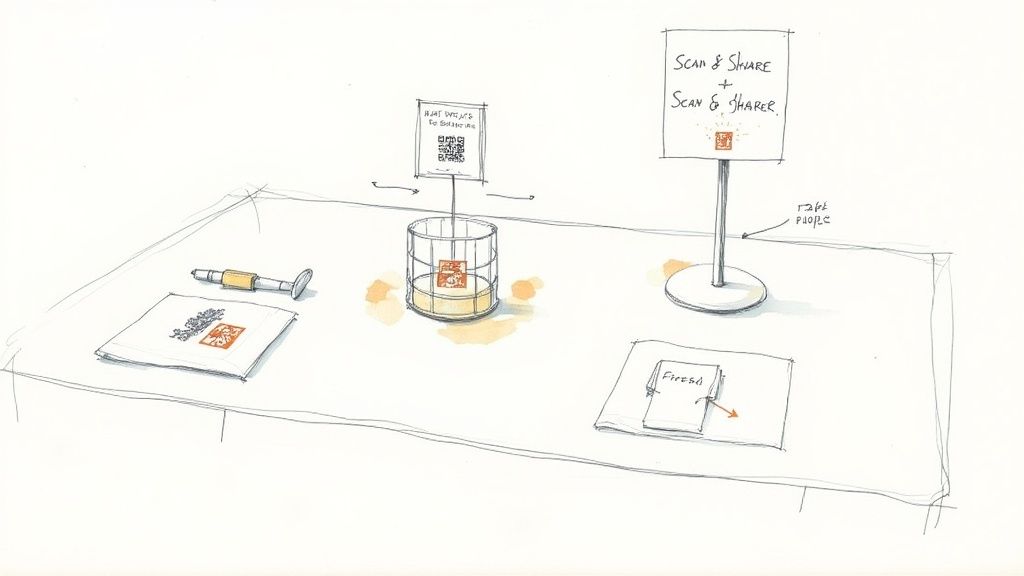
Weave QR Codes into Your Decor
Seamless integration is all about making the code both impossible to miss and beautiful to look at. Let’s be honest, a plain black-and-white square can really kill the vibe of a carefully curated tablescape. That’s why using a platform like Wishgram is a game-changer—you can customize the code’s color to perfectly match your wedding palette.
Once it’s looking the part, get creative with where you put it:
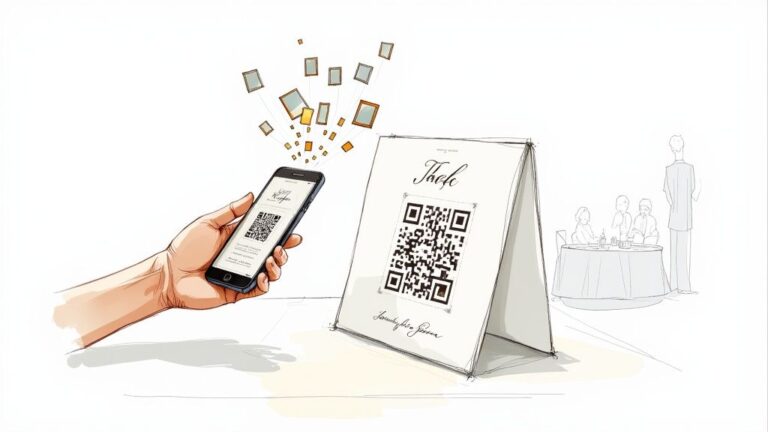
- On Every Table: Pop a small, elegant card with the QR code into each centerpiece or place it right next to the menu. This gives every single guest dead-easy access from their seat.
- Cocktail Napkins and Coasters: For a touch of whimsy, get your QR code printed on custom cocktail napkins or coasters. It’s a fun little surprise that guests will definitely notice and talk about.
- Ceremony Programs: Tuck a QR code onto the back of your ceremony programs with a short, sweet note like, “Help us capture every moment, starting now!” This gets people involved right from the very beginning.
Think of it this way: placing codes at multiple touchpoints creates gentle, repeated reminders. A guest might walk right past the sign at the entrance, but they’ll spot the code on their coaster an hour later, prompting them to upload that great photo they just took of the speeches.
This is a huge part of the trend toward high-tech, eco-friendly weddings. QR codes are powering everything from digital menus to virtual guest books, cutting down on paper while boosting how much your guests can interact with the day. It’s all about making it effortless for them to engage.
Create a Dedicated Sharing Station
If you want to make a bigger statement, set up a dedicated “Scan & Share” station. This creates a fun, interactive focal point and is another perfect opportunity to tie in your wedding’s theme and decor.
Find a high-traffic spot for it—maybe near the guestbook, the photo booth, or the bar. You can decorate a small table with a large, beautifully framed sign that features the QR code and a few simple, friendly instructions.
Here are a few ideas to make the station pop:
- Frame It Beautifully: Use a frame that matches your wedding style, whether it’s ornate and vintage or clean and modern.
- Add a Personal Note: A sign with a handwritten-style font that says, “Saw a great dance move? Caught a sweet moment? Scan here to share it with us!” feels personal and inviting.
- Include Examples: Place a few printed photos next to the sign to show guests exactly the kinds of candid, in-the-moment shots you’re hoping to collect.
When you start thinking creatively about placement, the QR code transforms from a simple tool into a genuine experience. For even more inspiration, check out our guide on creative places to put your QR code for a digital guestbook. It’s not just about collecting photos; it’s about making the act of sharing them a fun, memorable part of your special day.
Making It Fun and Easy for Your Guests
Let’s be honest, the secret to a gallery overflowing with candid moments isn’t just a clever wedding qr code. The real magic happens when sharing those photos feels effortless and fun for your guests. If it feels like a chore, you’ll miss out on hundreds of incredible memories. The goal is to smooth out every possible bump in the road, creating a process so simple that even your tech-shy relatives can’t wait to join in.
This is where a modern platform like Wishgram really makes a difference. Its single biggest advantage? The ‘no app needed’ approach. Your guests don’t have to hunt through an app store, create an account, or try to remember yet another password. They just point their phone’s camera, scan the code, and land directly on your private, personalized upload page. Simple as that.
Guiding Your Guests with Clear Communication
Even the simplest process benefits from a little direction. Your guests are there to celebrate you, not to become IT support for the night. You can turn participation into a fun, collective activity just by using clear and friendly prompts throughout the event.
Your best ally here is your DJ or MC. They’ve got the microphone and the crowd’s full attention, making them the perfect hype-person for your photo collection mission.
Give them a few easy lines to drop into their announcements:
- “Caught a great dance move on camera? See that little code on your table? Scan it with your phone and send that moment straight to our happy couple!”
- “The bride and groom would love to see the wedding through your eyes! Use the QR code at the bar to upload your favorite photos and video messages from tonight.”
These quick, upbeat reminders frame photo sharing as a fun contribution, not an obligation. It’s a key part of what experts are calling a top wedding trend. As noted by wedding authority The Knot in their wedding technology trends report, QR codes are turning every attendee into a guest photographer, giving couples an amazing, 360-degree view of their celebration.
A wedding QR code isn’t just a tool for collecting photos; it’s about creating an interactive experience. When guests see their uploads pop up in a live gallery, it builds a sense of community and gets everyone else excited to join in.
An Experience for Everyone
When you get ahead of any potential obstacles, you create a natural flow that includes everyone. Your tech-savvy friends will dive right in, and a gentle nudge from your MC might be all it takes for your older relatives to feel comfortable participating.
The combination of no-app access and clear, friendly instructions is your recipe for success. This approach also makes leaving messages a breeze, whether through a quick video or a heartfelt text. You can even take it a step further by creating an online guestbook by scanning a QR code to capture well wishes right alongside your photos.
This simple, thoughtful setup ensures you don’t just get pictures—you get the complete, heartfelt story of your day, told by the people who matter most.
Turning Your Guest Photos Into Lifelong Memories
The music has faded and the last guests have gone home, but the magic of your wedding QR code is just getting started. This is the moment you’ve been waiting for: opening up a vibrant, candid gallery filled with moments captured through the eyes of everyone you love. Now the fun begins—transforming that digital collection into tangible keepsakes that tell the full story of your day.
The first step is diving into your gallery. With a service like Wishgram, every photo, video, and message your guests shared is neatly organized in a private, secure online space. You can scroll through the day as it unfolded, reliving the ceremony, the speeches, and the dance floor from dozens of different angles. Downloading everything is usually a one-click affair, giving you all the high-resolution files to keep forever.

Creating One-of-a-Kind Wedding Keepsakes
Once you have all those amazing guest photos, the possibilities are endless. This is your chance to create something far more personal than a standard photo album. Your guest-submitted photos add a layer of raw emotion and pure fun that perfectly complements your professional shots.
Here are a few ideas I’ve seen couples bring to life:
- The “Behind-the-Scenes” Album: Don’t just make one album; make a special one dedicated to the candid moments. Imagine a page with a stunning professional shot of your first kiss, right next to a guest’s photo of your parents wiping away tears in the front row. It’s that combination that tells a richer, more authentic story.
- A Living, Breathing Guestbook: Did your guests leave video messages? Perfect. Compile them into a single highlight reel. This becomes a dynamic digital guestbook you can watch every anniversary, hearing the heartfelt wishes and funny stories from your favorite people all over again.
- Truly Personal Thank-You Cards: Forget the generic engagement photo. Find a fantastic group shot from the dance floor or a sweet picture of a particular table of friends and use that on their specific thank-you card. It’s a small detail that makes them feel like a huge part of the day.
The keepsakes you’ll cherish most often come from the unplanned, imperfect moments. A guest photo of your dad quietly practicing his speech or a blurry video of your friends starting a conga line will probably mean more to you in 20 years than any perfectly posed portrait.
Sharing the Joy With Everyone
Remember, your guests are just as excited to see the final collection as you are! Once you’ve had a chance to go through everything and pick your favorites, share a link to the curated online gallery. It’s a fantastic way to thank them for celebrating with you and for helping create this incredible memory book.
Plus, it lets them see all the moments they might have missed while they were on the dance floor or catching up with relatives.
Platforms like Wishgram make sharing simple and secure, allowing you to send a view-only link that protects your original files. This simple follow-up keeps the celebratory vibe going long after the wedding is over, ensuring the spirit of your day lives on for everyone.
Got Questions About Your Wedding QR Code? We’ve Got Answers.
Jumping into something new for your wedding day always comes with a few questions. It’s totally normal to want to make sure a wedding QR code will be a smooth, private, and successful experience for you and everyone you’ve invited. Let’s walk through some of the things couples usually ask.
Do My Guests Need to Download an App?
Absolutely not, and honestly, this is the best part. Modern tools like Wishgram are built to be dead simple. Guests just point their phone’s camera at the code, and a private webpage instantly opens in their browser.
From there, it’s a straight shot to uploading photos, recording a quick video message, or typing out their well-wishes. No app stores, no creating accounts, no passwords to forget. This is what makes it so easy for everyone—from your tech-savvy cousins to your grandparents—to join in on the fun.
How Can I Make Sure We Actually Get a Lot of Photos?
Getting tons of photos is all about making it visible and making it fun. Just one sign in the corner won’t cut it. You have to weave it into the event.
- Be Strategic With Placement: Don’t hide it! Put your QR code in all the high-traffic spots. Think a small card on every dinner table, a sign at the bar (where people are always waiting), and another one near the guest book or gift table.
- Let Your MC Be Your Hype Person: A quick, fun announcement from your DJ or MC can work wonders. Something like, “Hey everyone, the newlyweds want to see the party through your eyes! Pull out your phones, scan the code on your table, and share your favorite moments!” is all it takes.
- Get the Ball Rolling: Ask your wedding party to be the first ones to upload a few photos early on. When guests see that the gallery is already active and filling up, they’re much more likely to contribute. It’s a classic case of social proof!
The trick is to make sharing feel like a fun, communal activity, not a chore. When it’s easy to find and people are talking about it, your gallery will fill up in no time.
Are the Photos and Videos My Guests Upload Private?
Yes, 100%. Privacy is the whole point of using a dedicated service over a public hashtag. When guests scan your wedding QR code, it leads them to a secure, private gallery that you control.
Unlike posting on social media, these memories aren’t out there for the whole world to see. Only you, and anyone you decide to share the private gallery link with, can access the photos and videos. This gives your guests the peace of mind to share those truly candid, hilarious, and heartfelt moments without worrying about who might see them.
Ready to create a beautiful, private gallery for your big day? With Wishgram, you can design your personalized event page and generate a unique wedding QR code in minutes, making it simple to collect every precious memory. Start building your digital memory book with Wishgram today!